Start3 min read
Your quotation, payments and receipts
Everything about the money side is written down, nothing has to be chased, and there’s a receipt every time.
On this page
- 01Quotation written
- 02Sent to your email and dashboard
- 03You accept with your name
- 04Stage 1 paid
- 05Receipt
- 06The install begins
- 07Next stage due at the next milestone
#1 · Your quotation — every line we agreed
Within a day of your call, we write your quotation from the notes we took together.
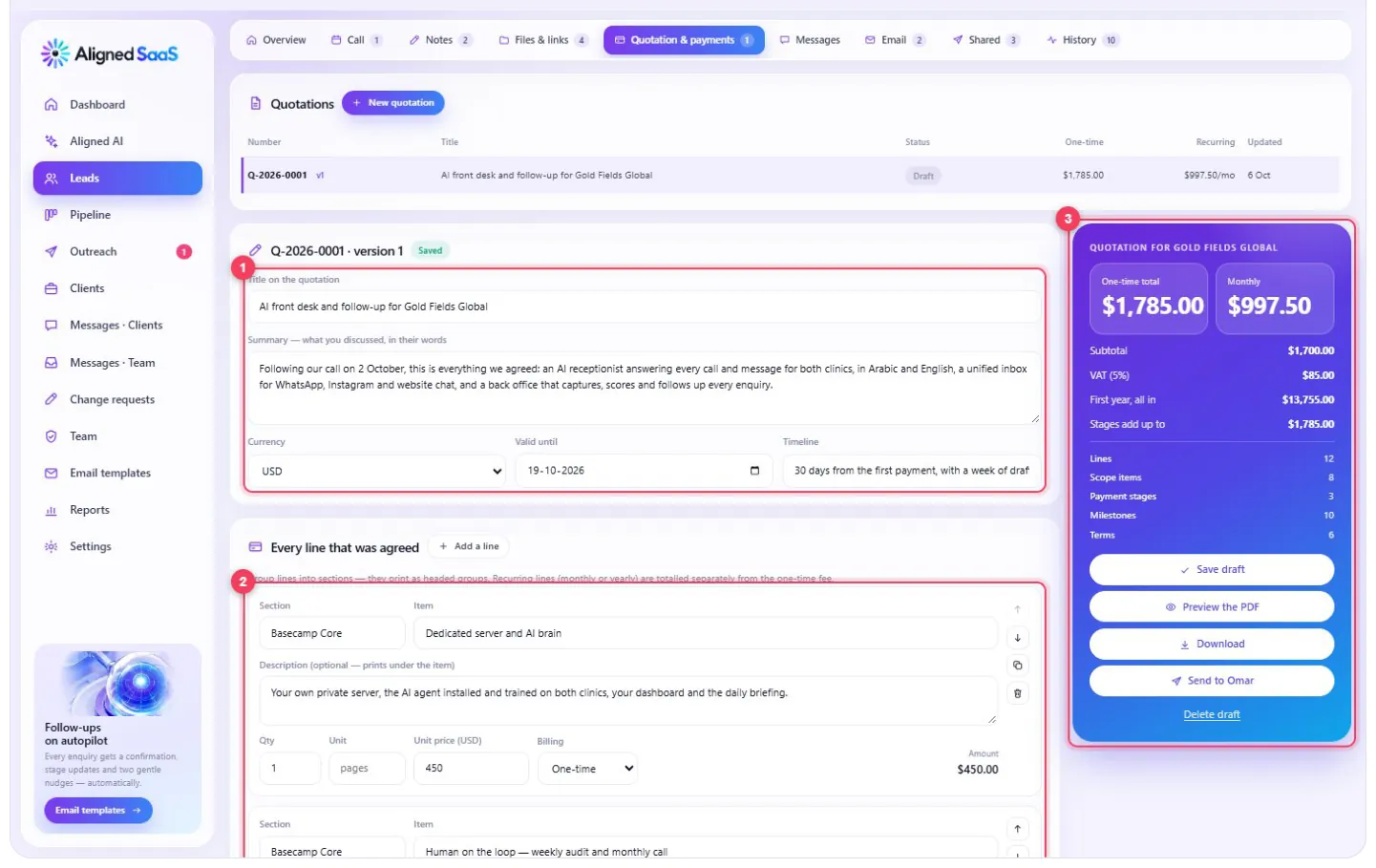
- 1
Title, summary, currency, validity and timeline.
- 2
Every line we agreed, grouped into sections — one-time and monthly costs kept separate.
- 3
Live totals — one-time, monthly, tax, the first year in full, and how the payment stages add up.
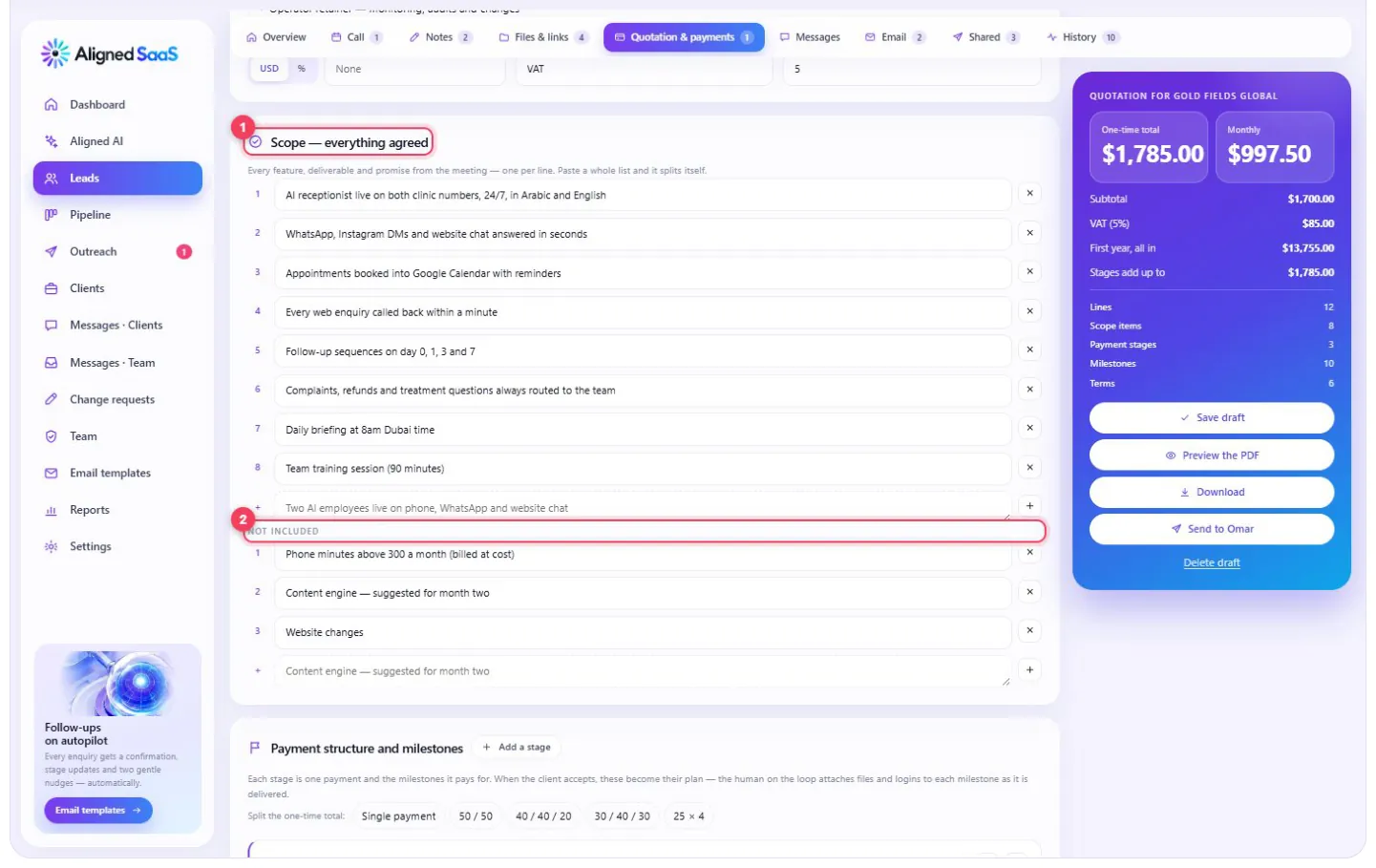
- 1
Scope — everything we agreed, one line each.
- 2
Not included — written down too, so nobody is surprised later.
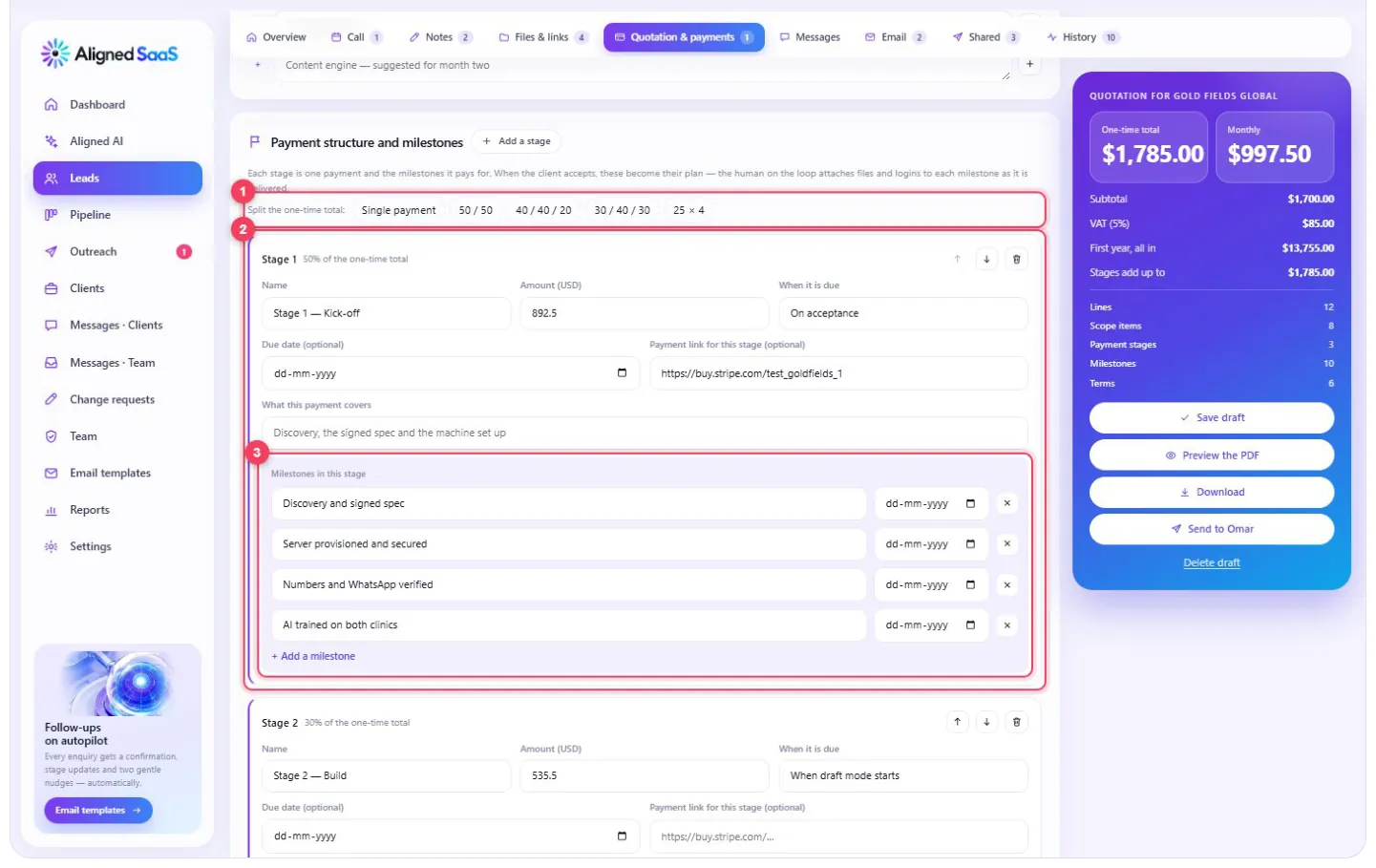
- 1
The total, split into stages that suit the size of the project.
- 2
Each stage — its amount, when it’s due, and its own secure payment link.
- 3
The milestones each stage pays for — so you always know exactly what you’re paying for.
#The PDF you receive
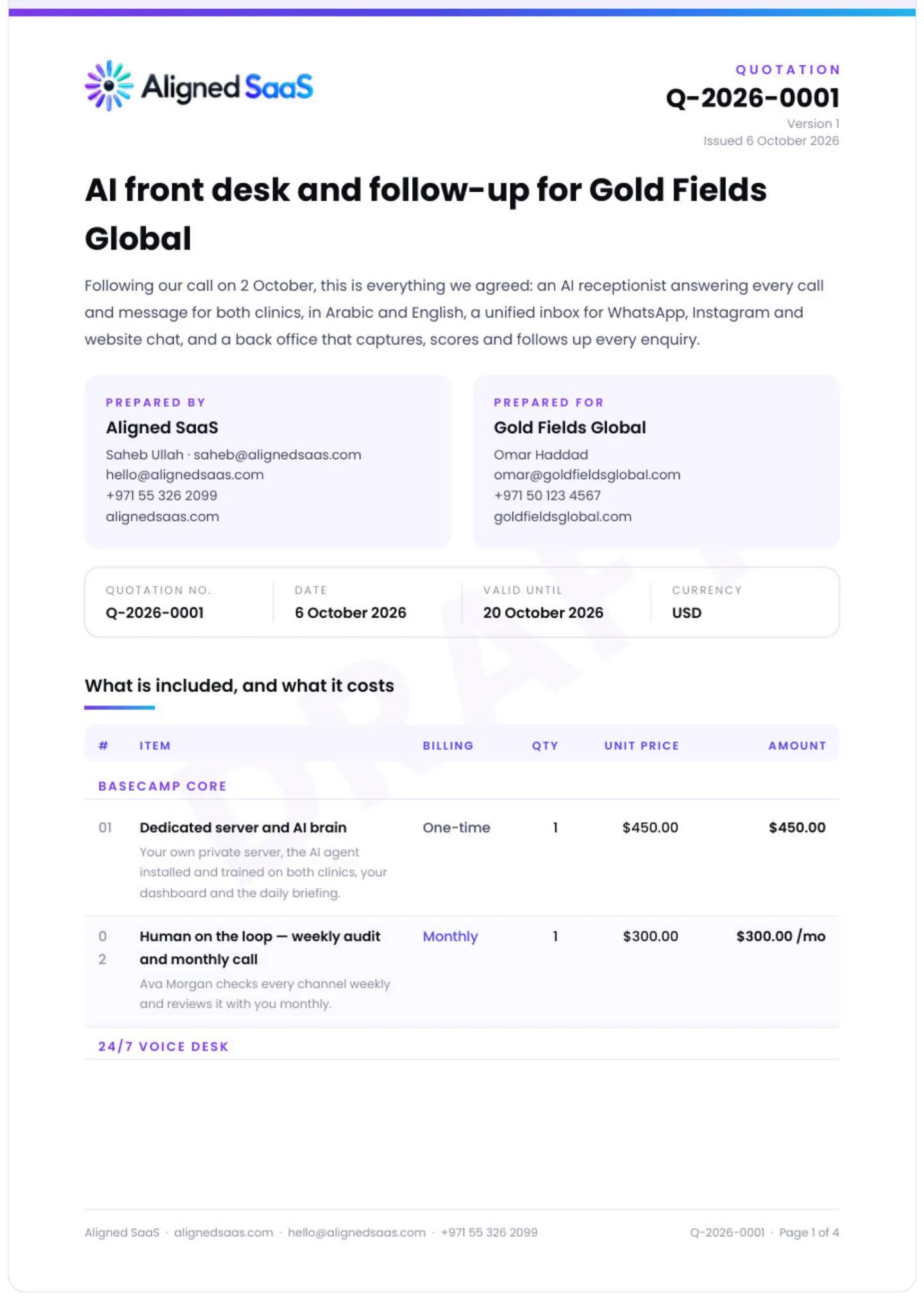
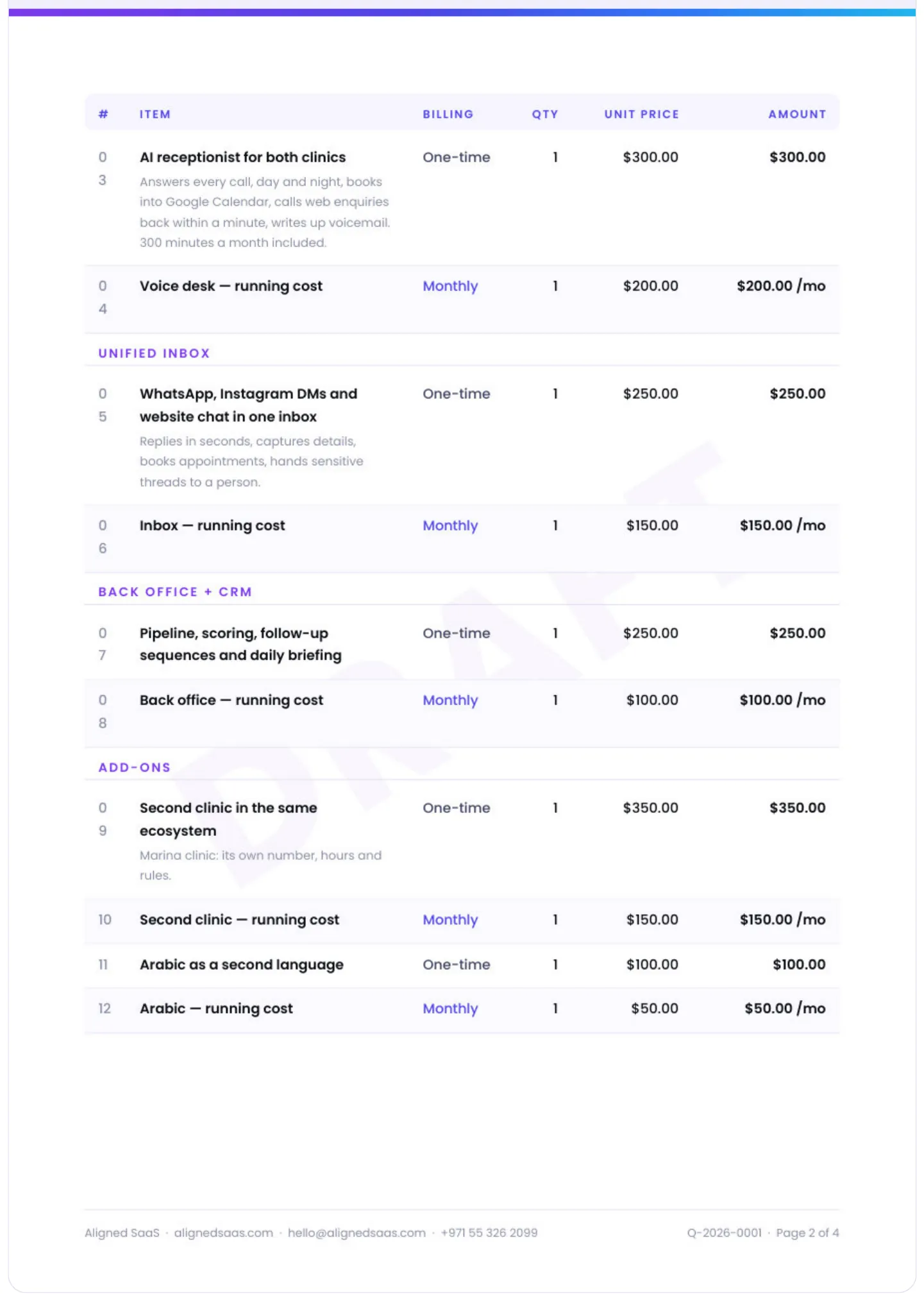
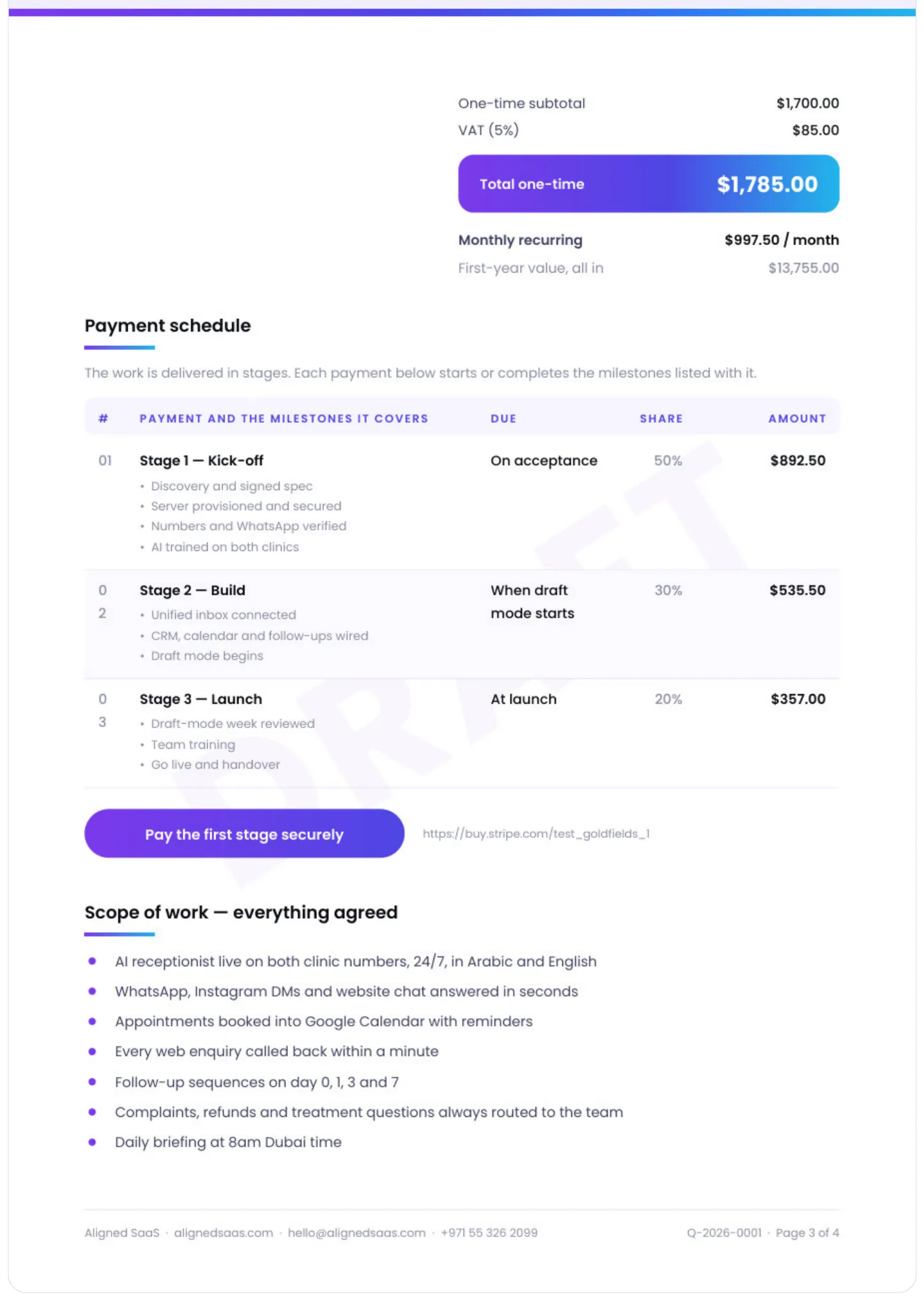
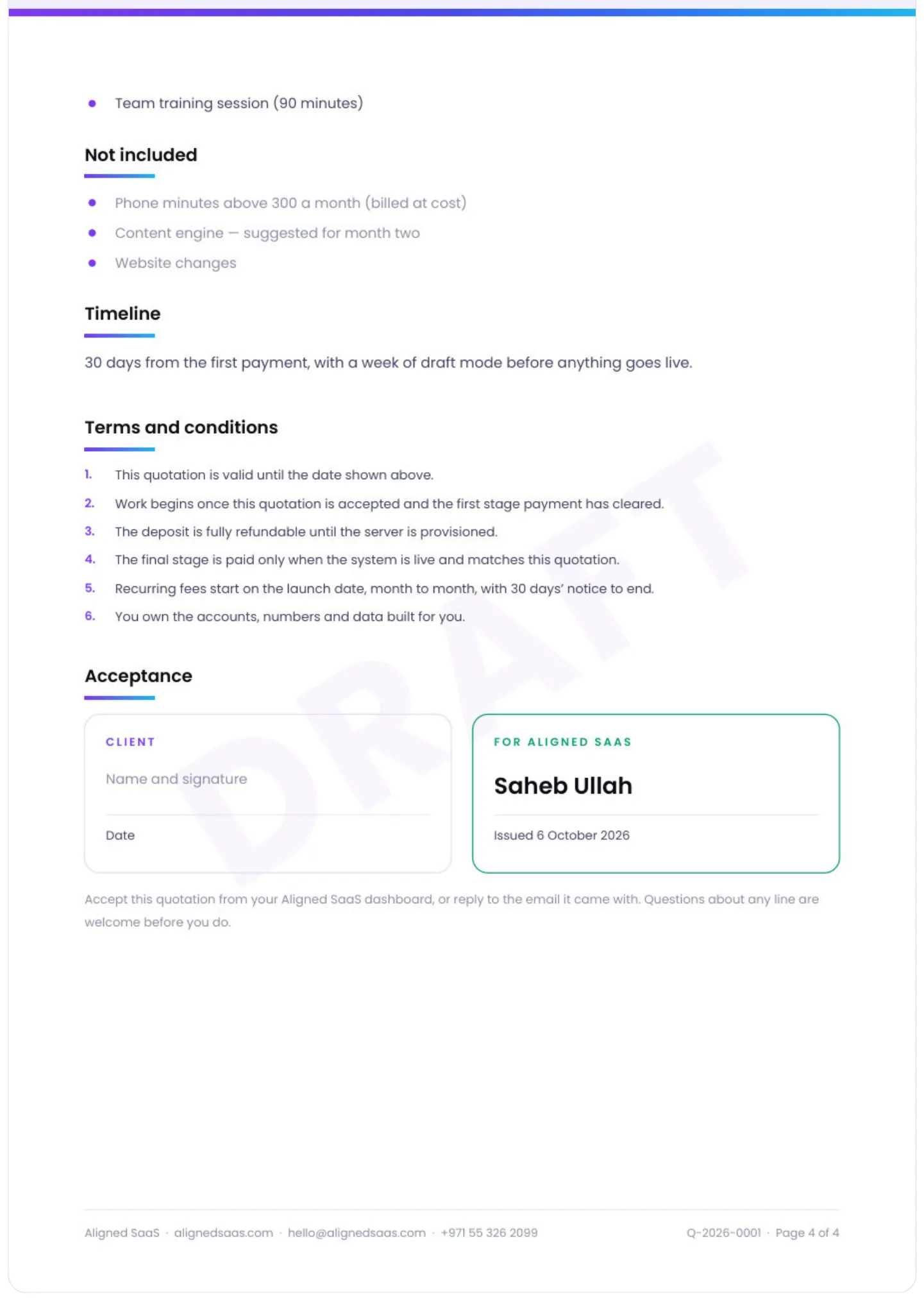
A numbered, branded quotation: every line and total, the payment schedule, the milestones, the scope, what isn’t included, and the terms.
#2 · Sent — by email, and into your own dashboard
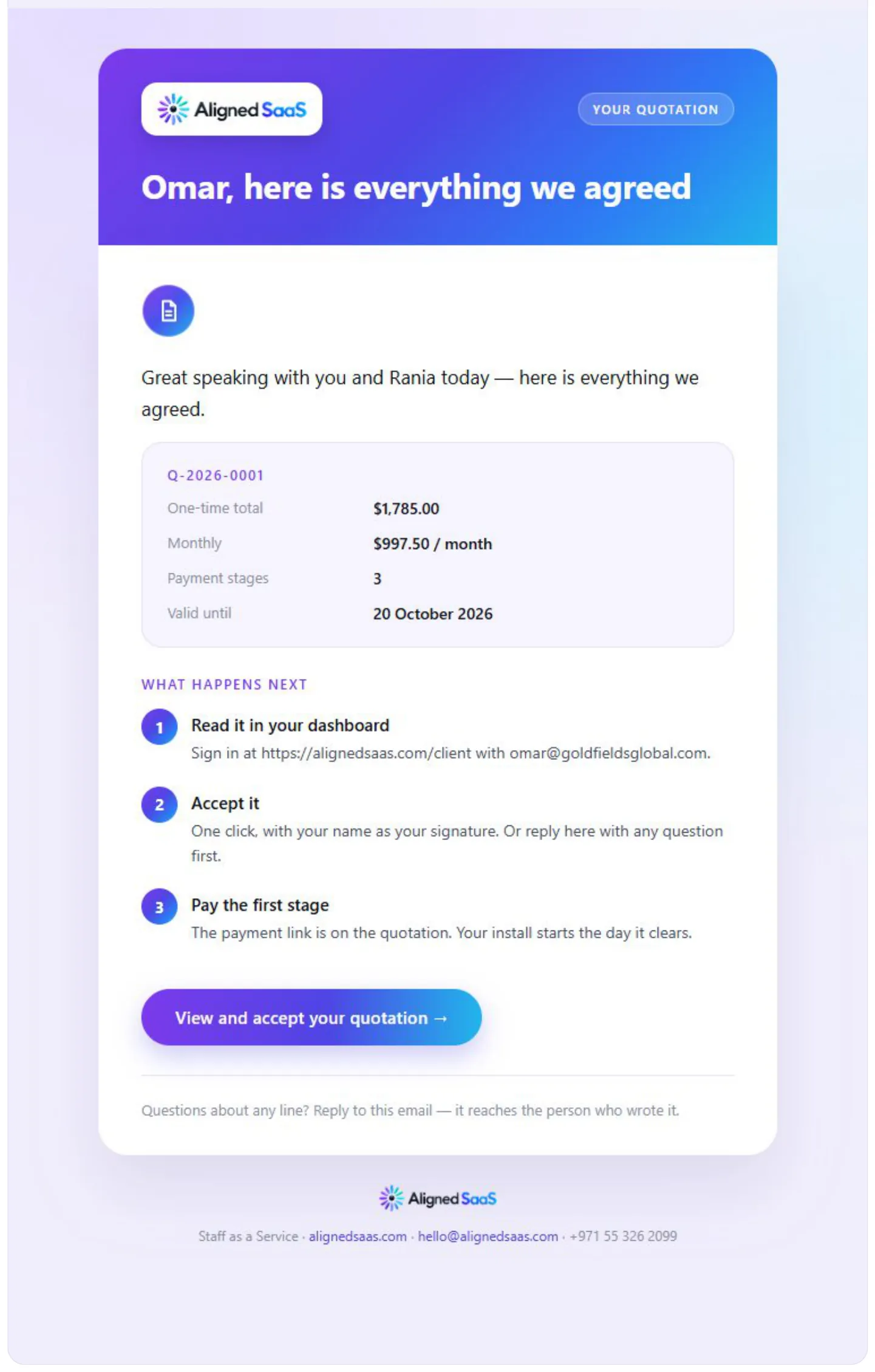
It arrives by email with the PDF attached — and at the same moment, your own dashboard opens, before you’ve paid a thing.
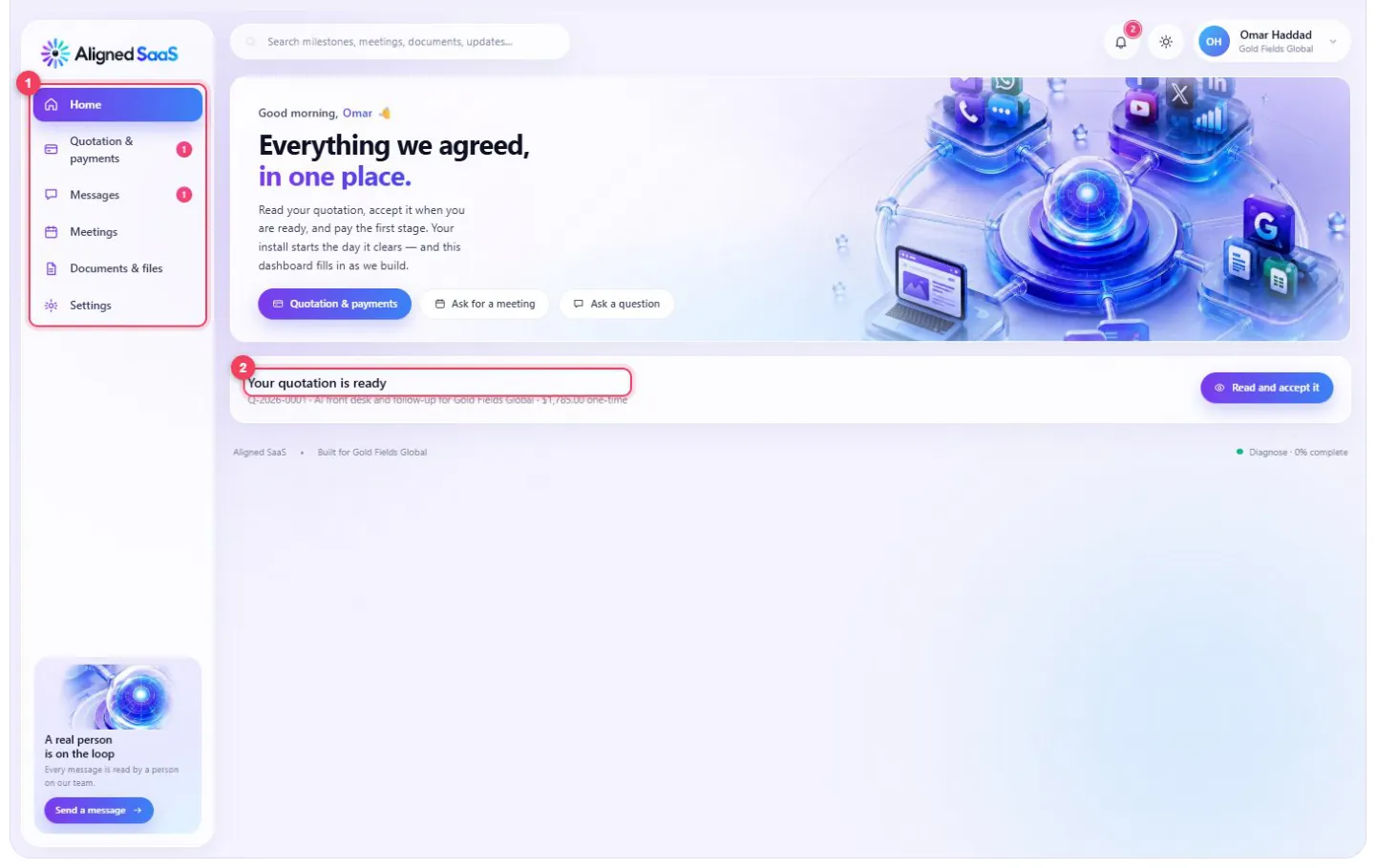
- 1
Only what matters right now — your quotation, meetings, messages, files and settings.
- 2
Your quotation, waiting for you.
#3 · You accept — with your name
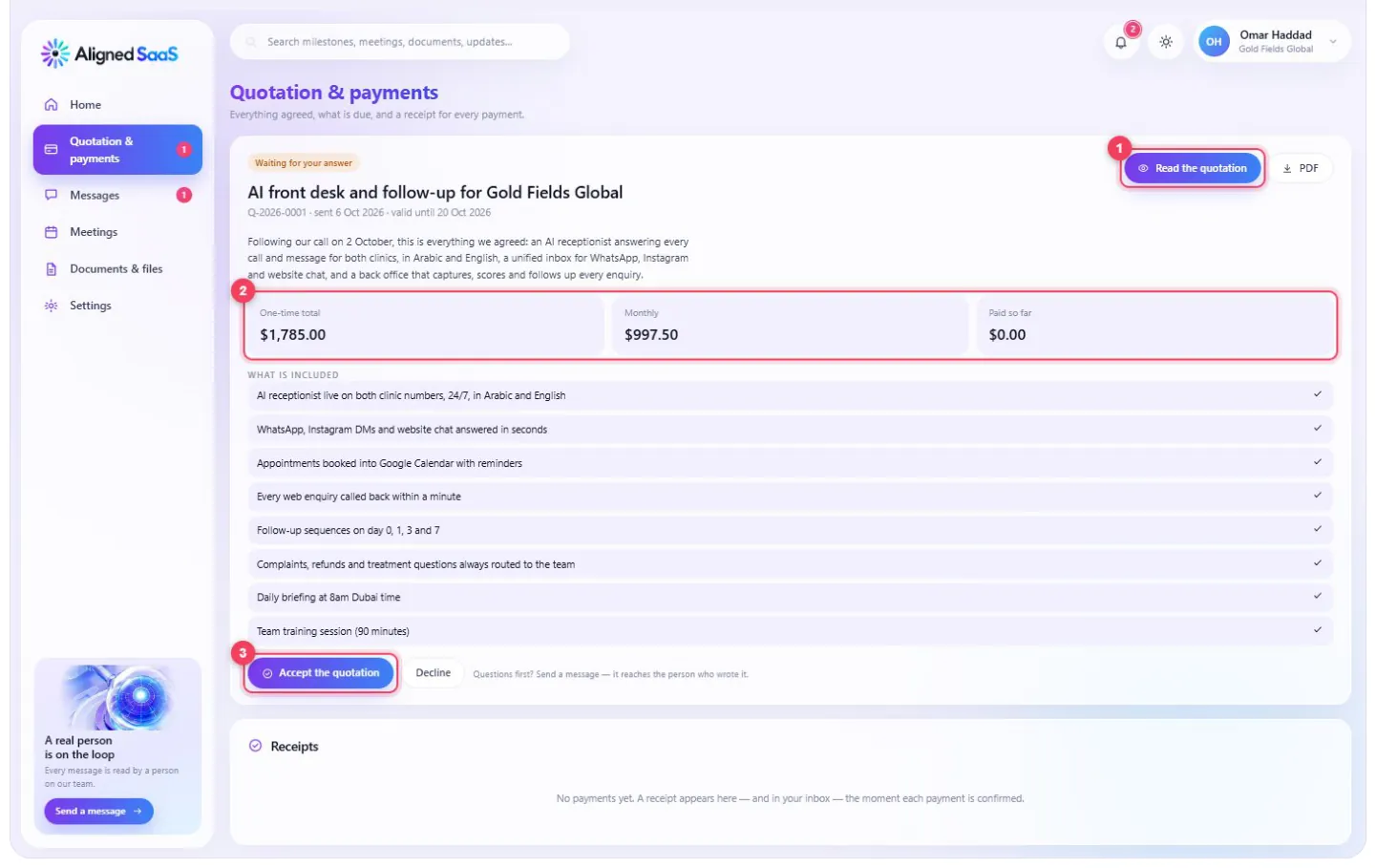
- 1
Read the quotation — the PDF opens right in the page.
- 2
The figures, at a glance.
- 3
Accept — or decline and tell us why.
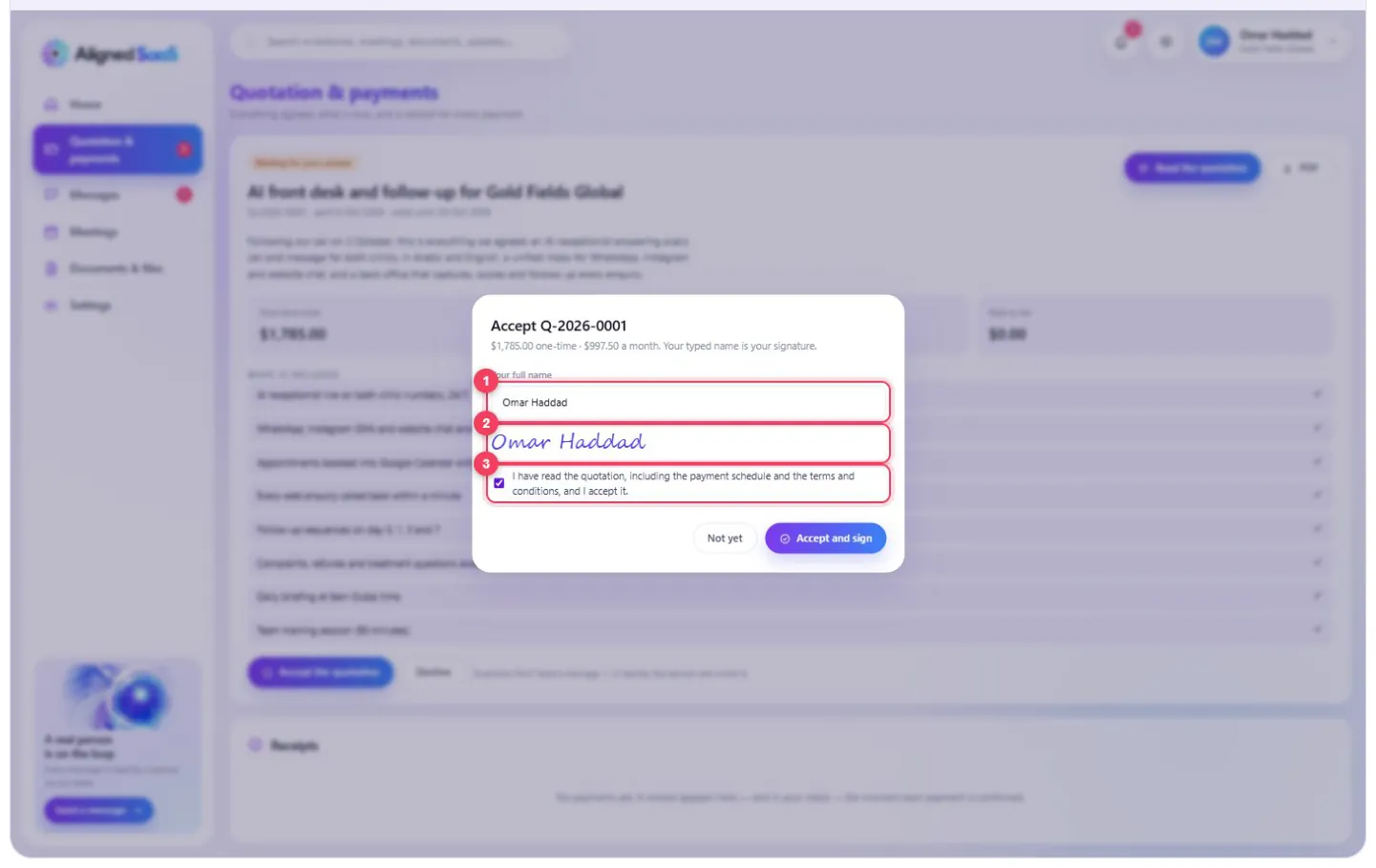
- 1
Type your full name —
- 2
— it becomes your signature.
- 3
Confirm you’ve read the terms.
The moment you accept, your plan appears: every payment stage, and every milestone beneath it. Our team is notified instantly.
#4 · Pay in stages — each tied to progress you can see
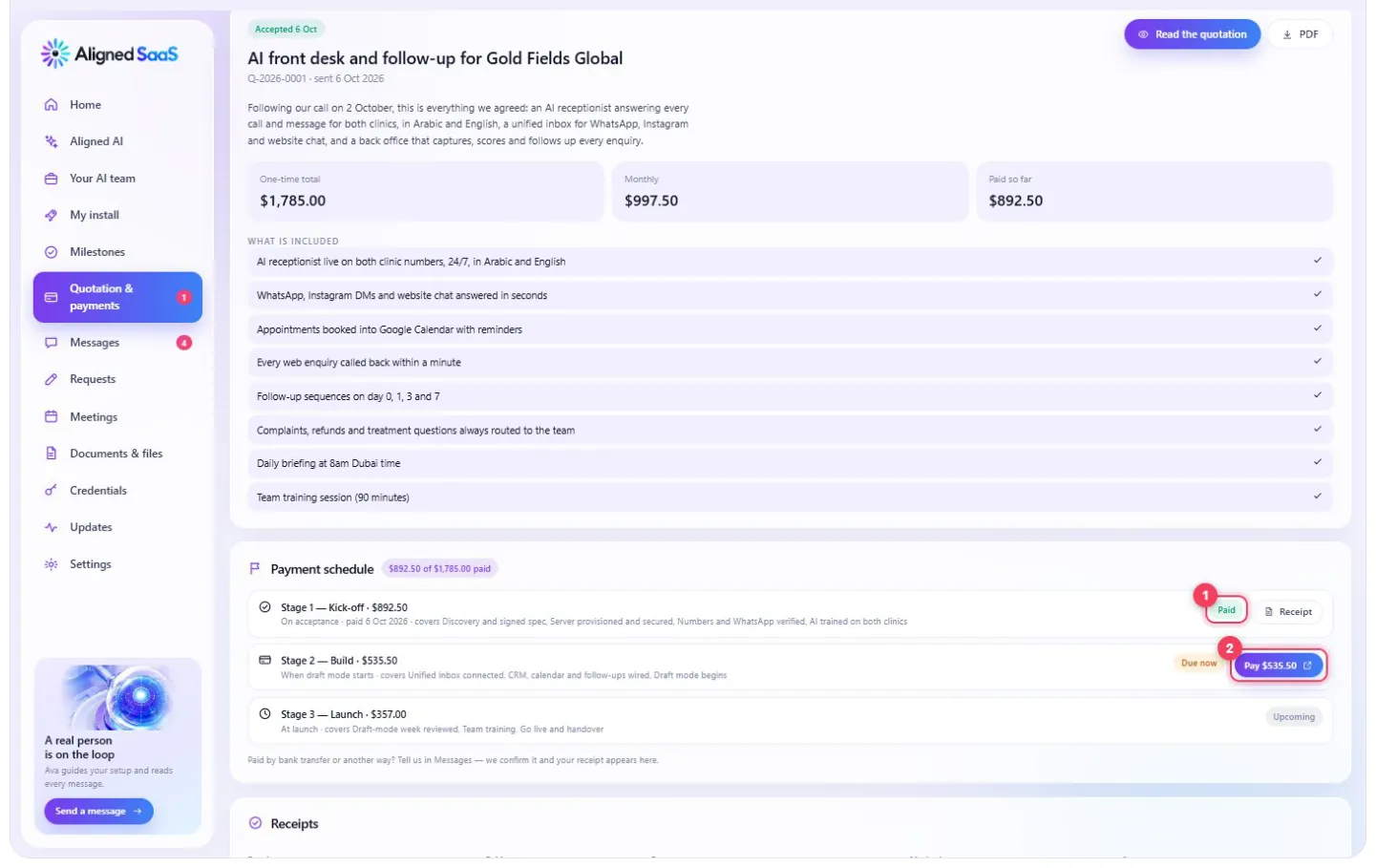
- 1
Stages already paid.
- 2
A Pay button for whatever is due now.
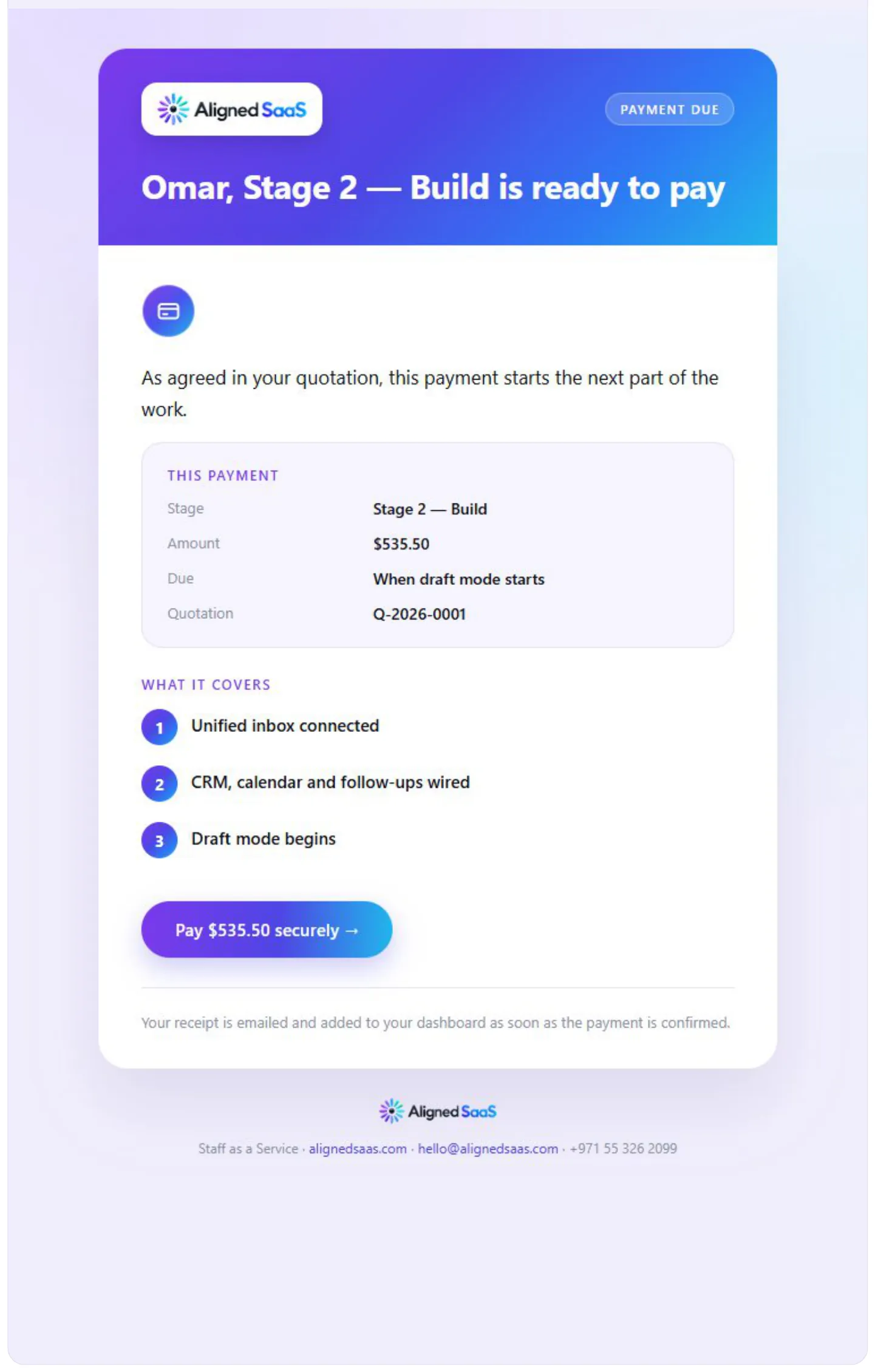
Each stage arrives with its own secure payment link — by email and in your dashboard. A typical schedule:
| Your setup fee | First payment | Second payment | Final payment |
|---|---|---|---|
| $1,000 or more | 50% on acceptance — your plan, server, numbers and training begin | 30% when draft week starts — inbox, CRM and follow-ups are wired | 20% + your first month at launch — once draft week is reviewed and it goes live |
| Under $1,000 | 60% on acceptance | 40% + your first month at launch | — |
#5 · A receipt, every time
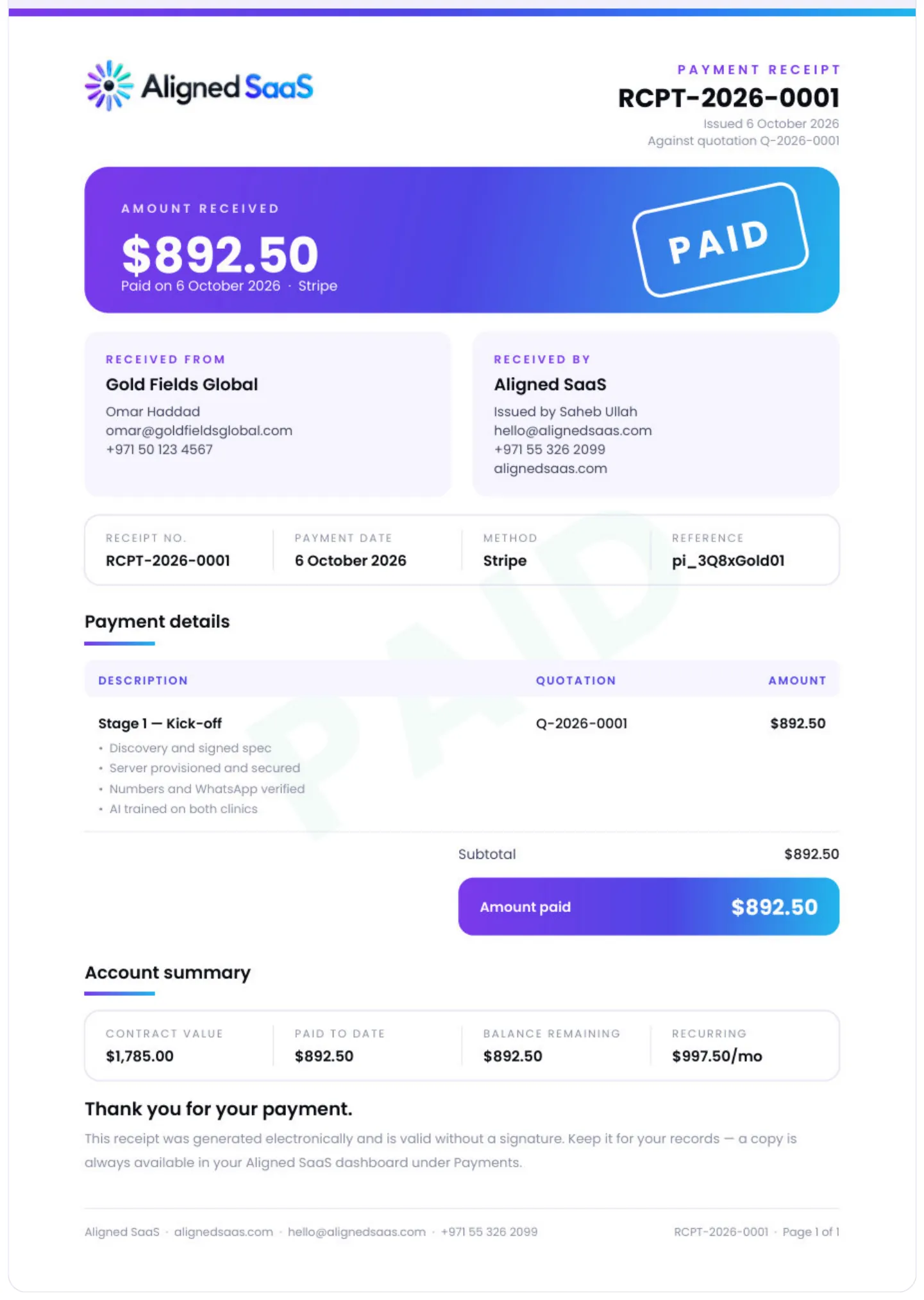
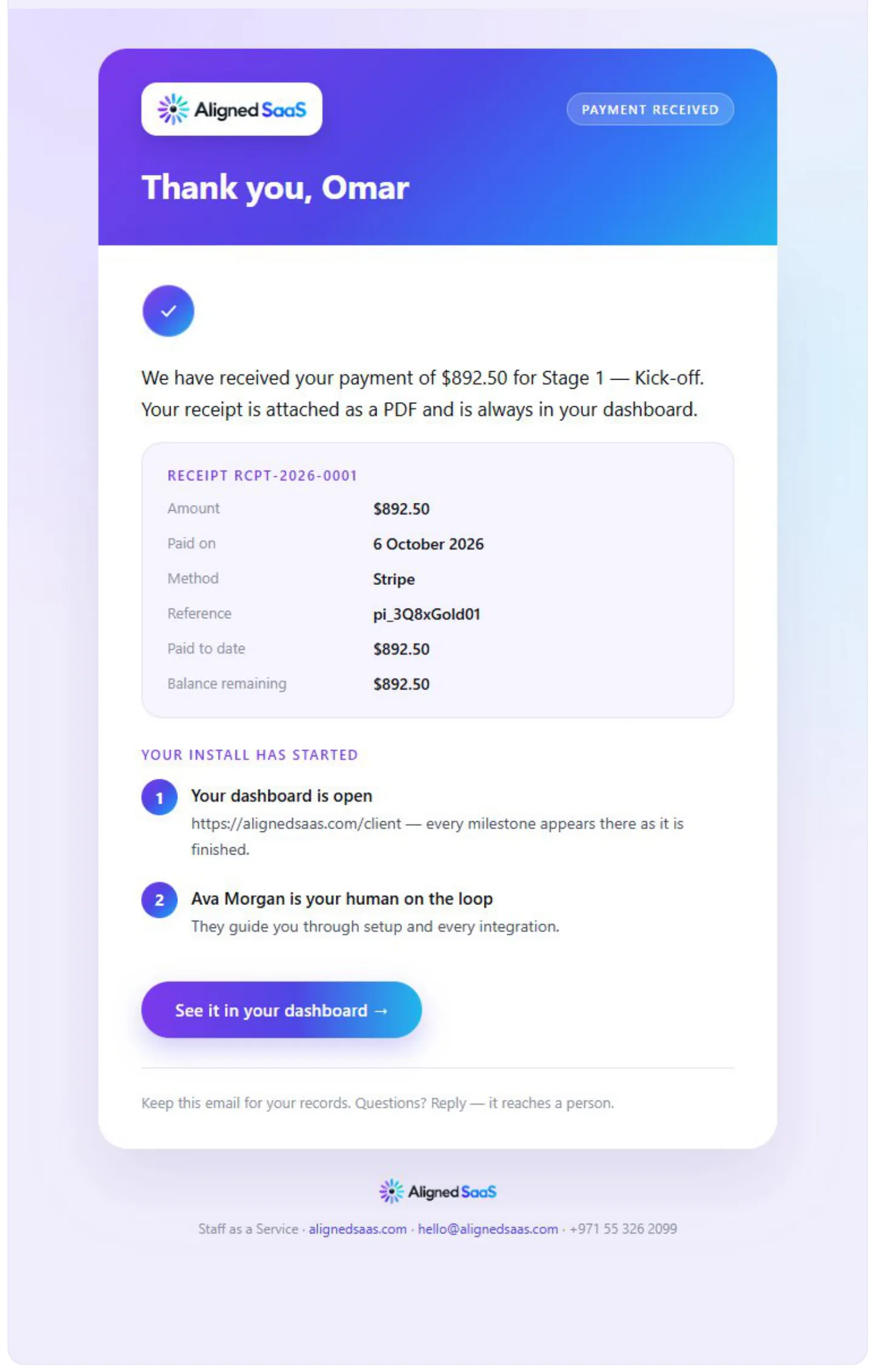
The moment a payment clears, a numbered receipt is created — the amount, the method, what it covered, what’s paid and what’s left — emailed to you and kept in your dashboard, ready to download whenever you need it.
#6 · The install begins
With your first payment, three things happen at once:
- 1Your dashboard opens in full.
- 2Your human on the loop is assigned and introduced
A named person, from day one.
- 3Your 30 days begin.