Run it7 min read
Aligned AI — your AI employee’s home
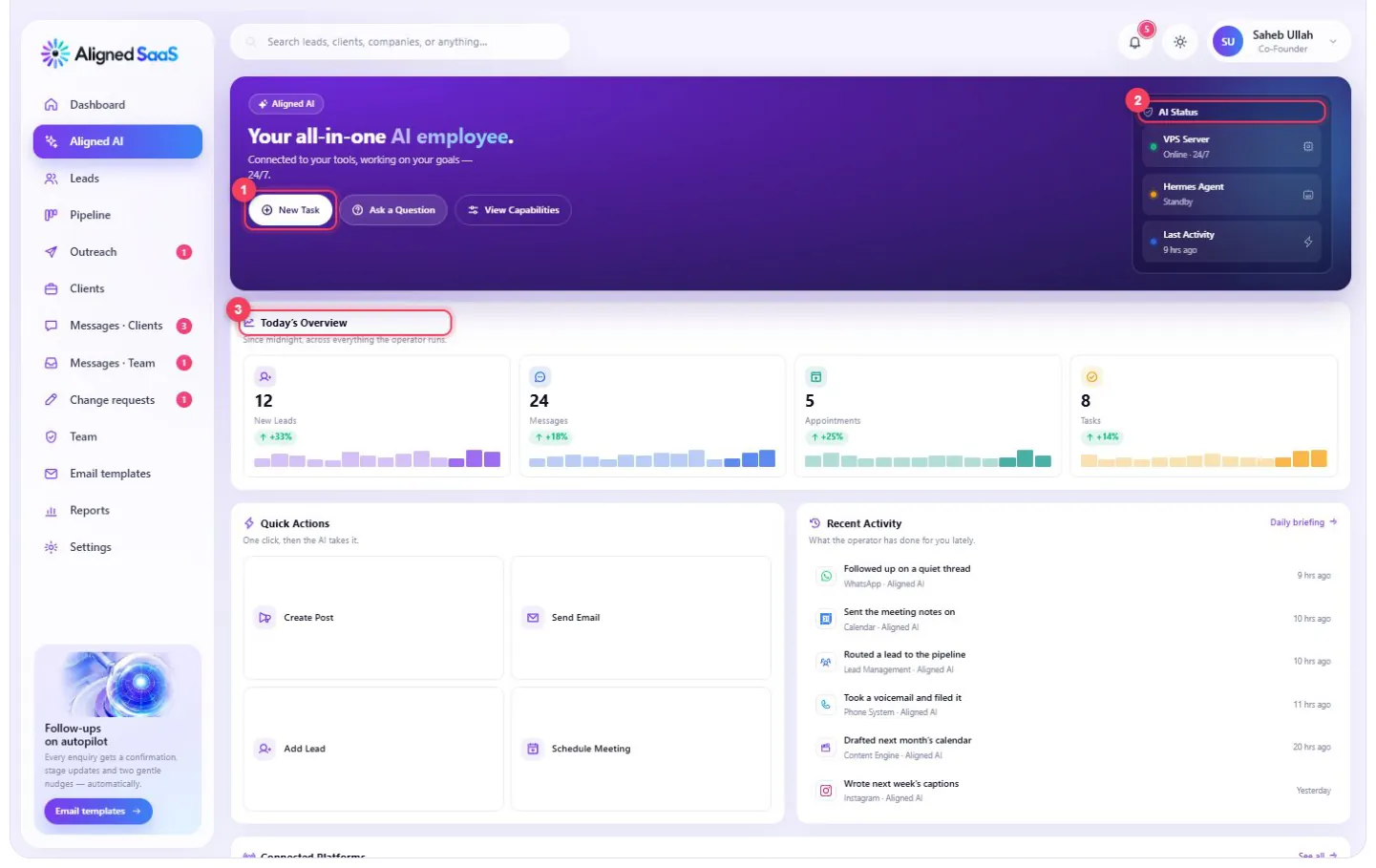
Aligned AI is where your AI employee lives. It shows what it’s doing right now, every channel and tool it’s connected to, what it did today — and it’s where you can talk to it and give it work, in plain language.
On this page
- 1
New task / ask a question — give it work, or ask it anything about your business.
- 2
AI status — whether it’s running, and what it’s working on.
- 3
Today at a glance — new leads, messages, appointments and tasks.
#Talking to it

The chat works like messaging a colleague who knows your whole business. Choose a mode — ask a question, give it a task, or research something — pick a specialised agent when it helps, and type or speak.
Things you might say:
- “Who enquired this week and hasn’t booked yet? Follow up with each of them.”
- “Summarise yesterday’s WhatsApp conversations and flag anything that needs me.”
- “Draft three Instagram posts from last month’s best blog article.”
- “Which of our services do people ask about most, and at what time of day?”
- “Move Thursday’s 3pm appointment to Friday and let the customer know.”
- “How did our website perform last month compared with the month before?”
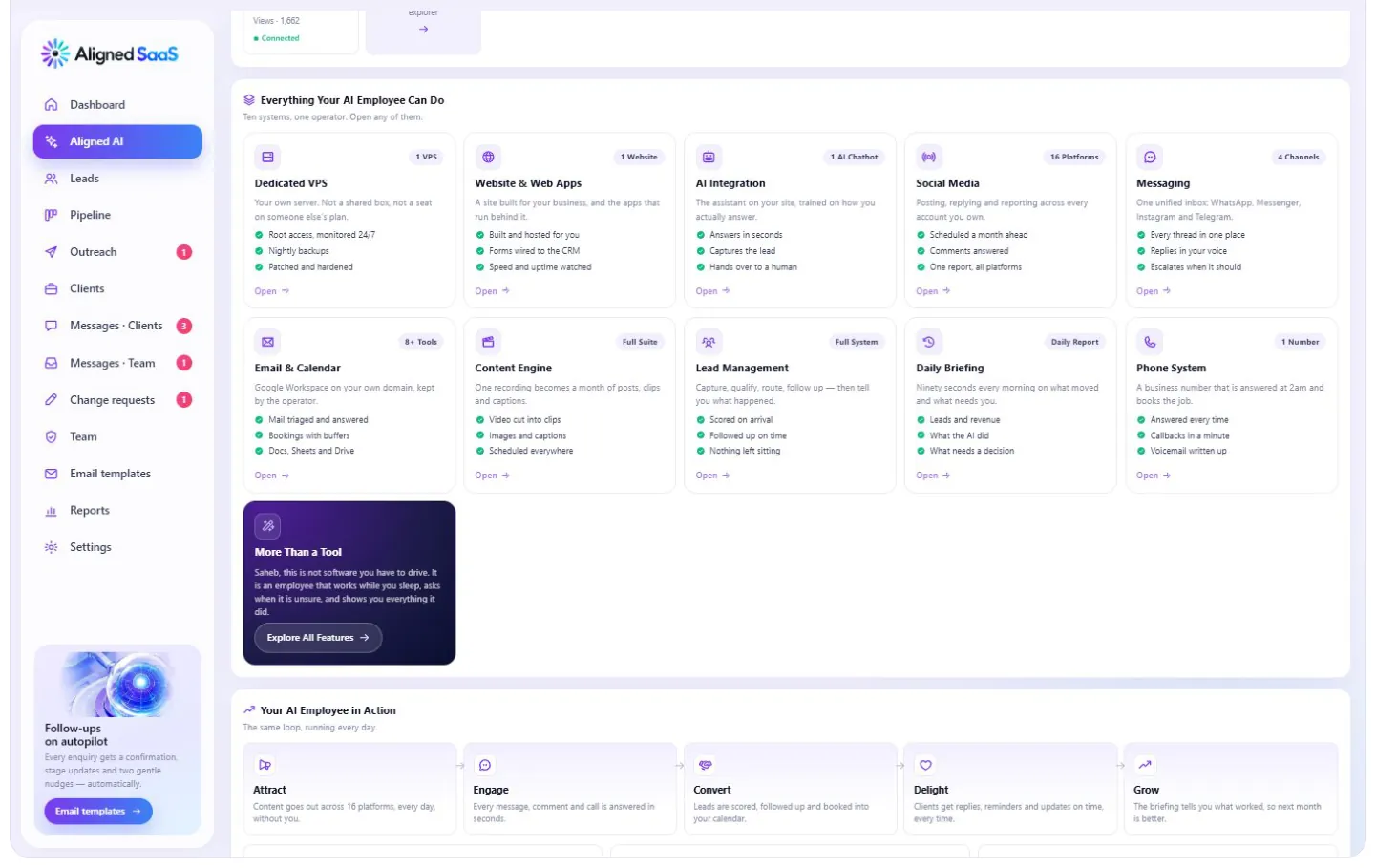
#Everything it can do
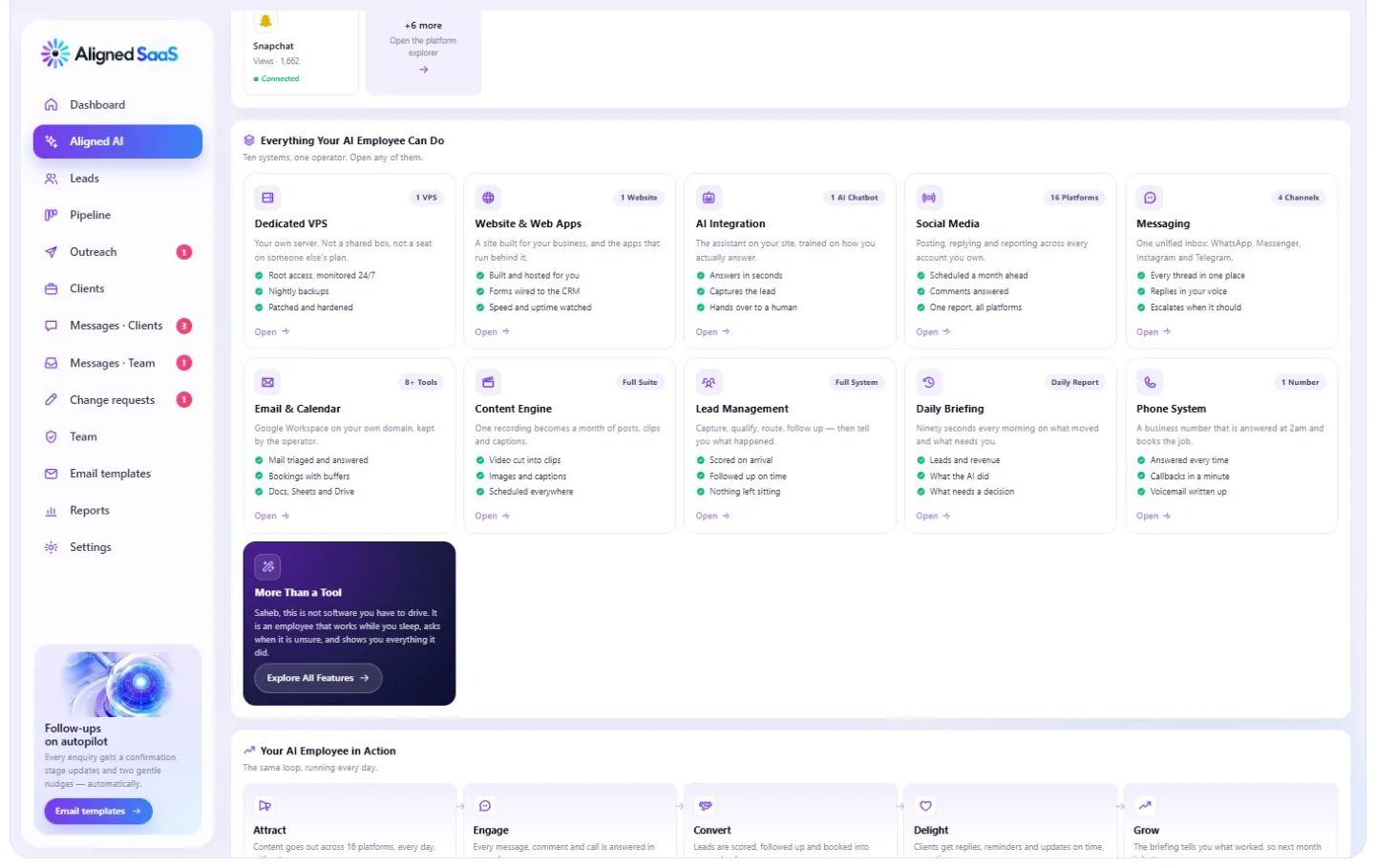
Every capability, grouped into the systems it runs on your behalf — each one with its own workspace.
#Every connected channel
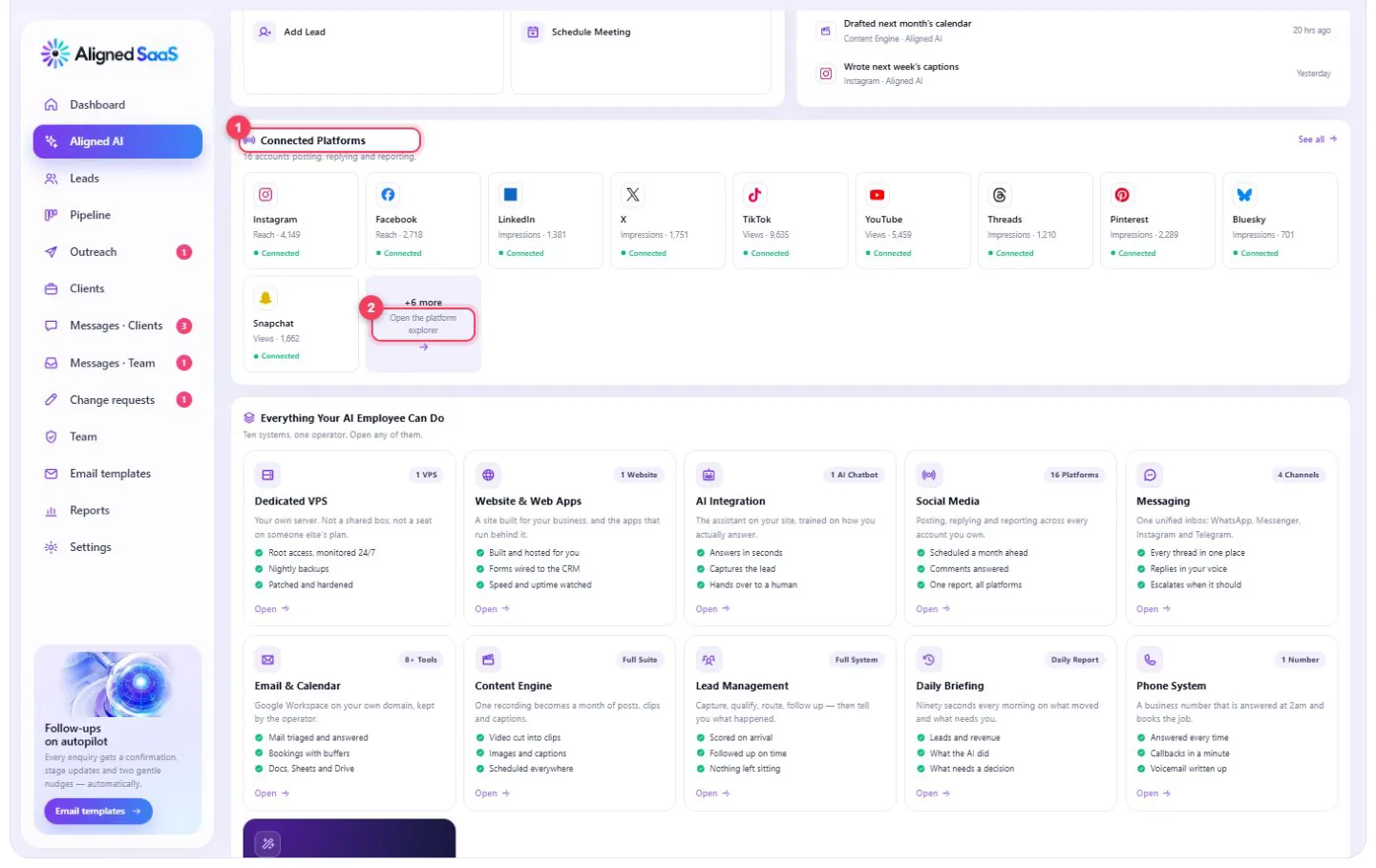
Every platform appears as a card. A green dot means it’s connected and working with your real account. A yellow dot means it’s available and ready to switch on whenever you want it — open it, and you can see exactly what it would do for you.
#The daily loop
How your AI employee works through a day: it watches every channel, responds, follows up, publishes, records what happened and reports back to you each morning.
#Inside every workspace
Every channel and tool opens into a workspace that follows the same layout, so once you’ve read one, you can read them all.
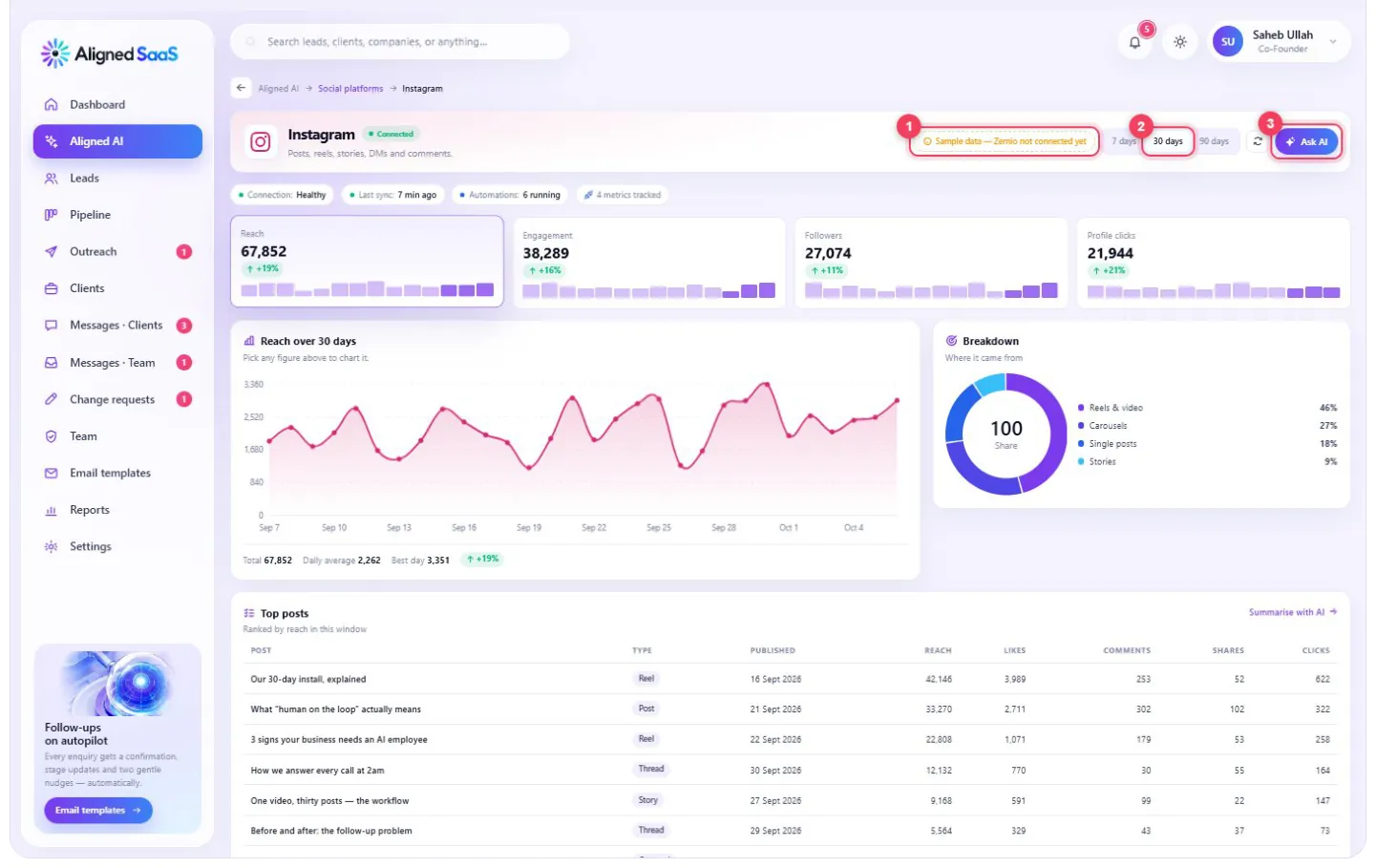
- 1
Status — the connection’s health, when it last synced and how many automations are running.
- 2
The period — 7, 30 or 90 days.
- 3
Ask AI — ask a question about this specific channel, in plain words.
Below that you’ll find the four headline numbers for the channel, a chart of whichever one you pick, a breakdown of where the activity came from, and a table of the most recent activity — posts, conversations, calls, leads or events — with a Summarise with AI button.

- 1
Automations running here — every automatic action on this channel, each one with a switch to turn it off.
- 2
Your audience — who they are and where they are.
#The systems
#Dedicated server — your own machine
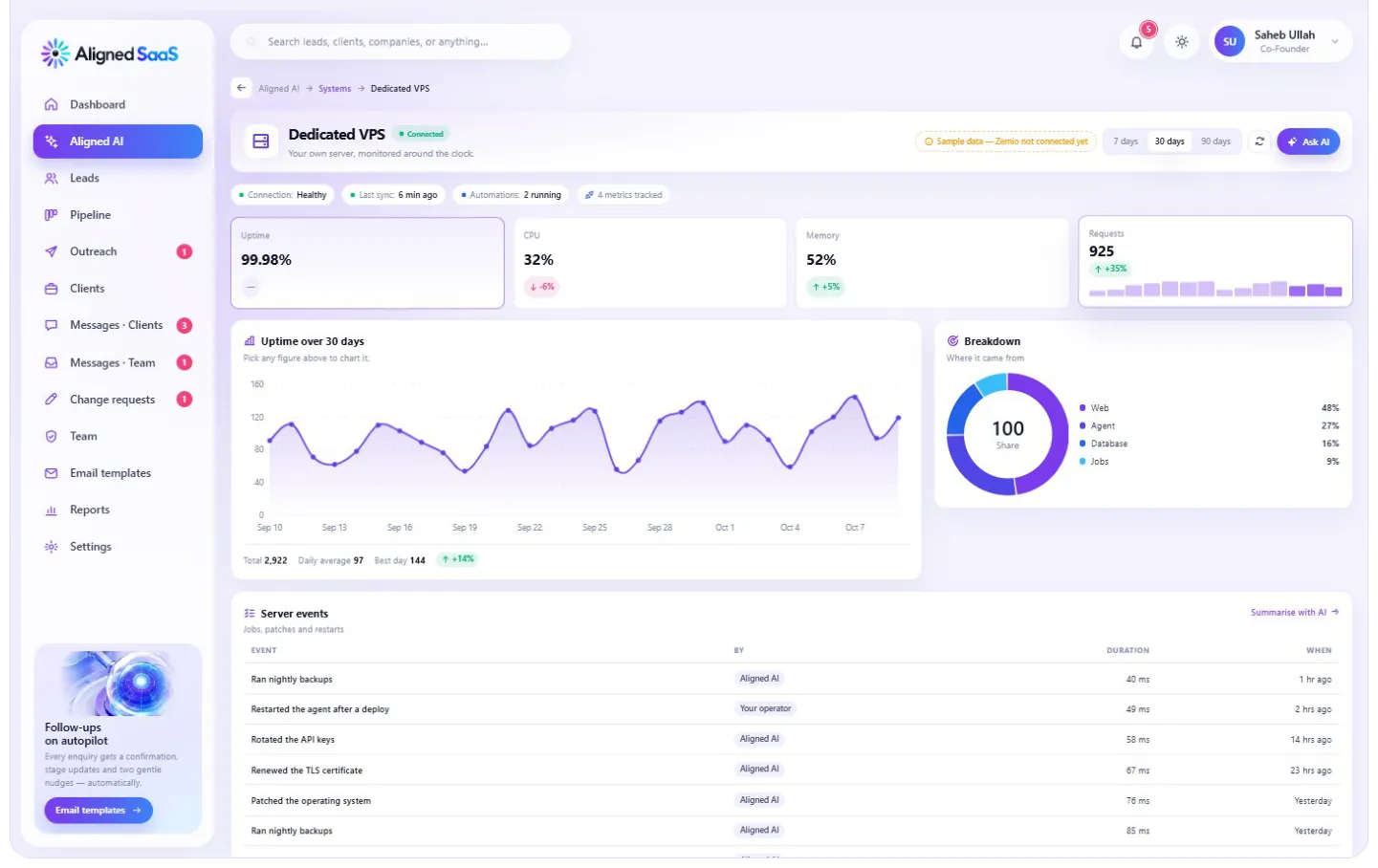
The private server your whole system runs on — yours alone, not shared with any other business.
- What it shows: uptime, processor and memory use, requests handled, and where the load goes — your website, your AI, your database and scheduled jobs.
- What runs automatically: nightly backups, security patches, certificate renewals, key rotation and restarts after updates — each logged with who did it and when.
- Why it matters: your data stays on infrastructure you own, and a person on our team watches it around the clock.
#AI assistant — on your website and channels
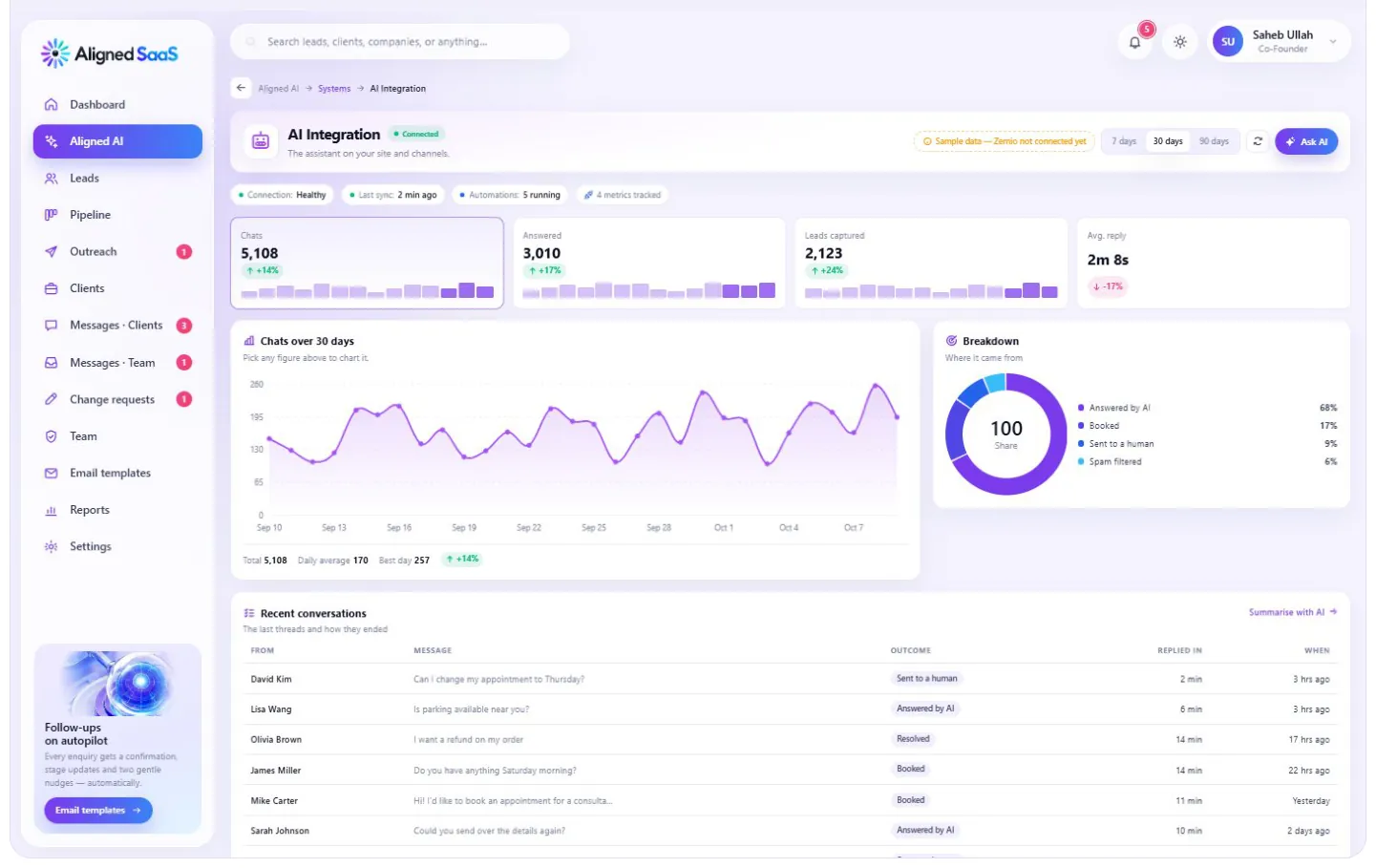
The assistant that answers your customers — on your website, and wherever else you choose.
- What it shows: conversations, how many it answered on its own, leads it captured, and how fast it replied.
- What it handles: questions about your services, prices, hours and policies; booking; qualifying enquiries; and handing over to a person — with the full conversation — whenever your rules say so.
- What you’ll see: every recent conversation, what was asked and how it ended — answered, booked, or sent to a person.
#Lead management — every enquiry, from first message to booked

Every enquiry from every channel, captured in one place, scored and followed up.
- What it shows: new leads, how many qualified, how many booked, and your conversion rate — with a breakdown of which channels bring them.
- What runs automatically: capture from your website, WhatsApp, Instagram, email and calls; scoring hot / warm / cold; routing to the right person; follow-ups on day 1, 3 and 7.
- What you’ll see: the latest leads, their source, their stage and their score.
#Website and web apps — your site, on your own server
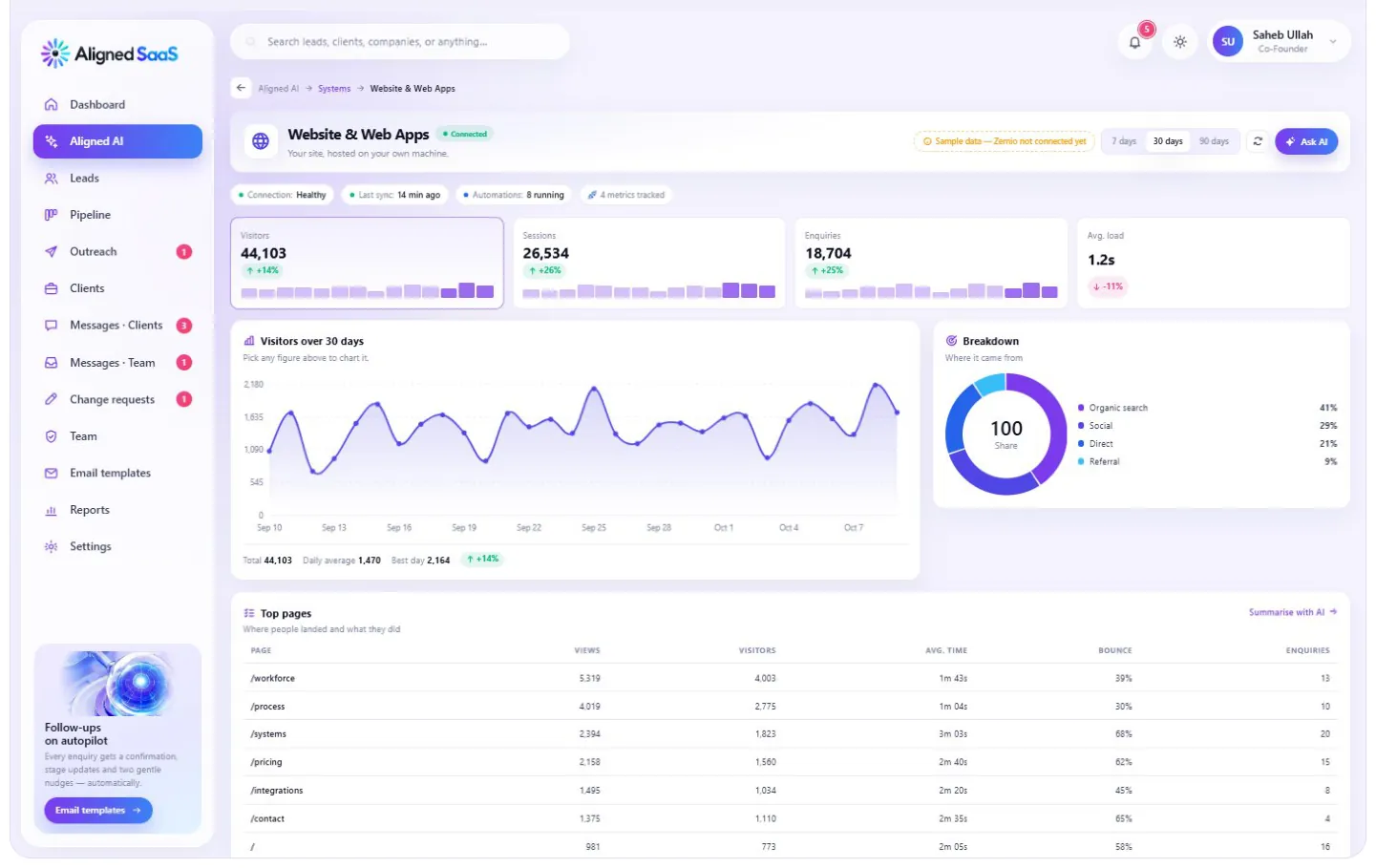
Your website, hosted on your own machine and connected to everything else.
- What it shows: visitors, sessions, enquiries and how fast your pages load — with where visitors came from and which devices they use.
- What you’ll see: your top pages — views, visitors, time on page, bounce rate and enquiries per page — so you know exactly which pages bring customers.
#Content engine — one source, a month of posts
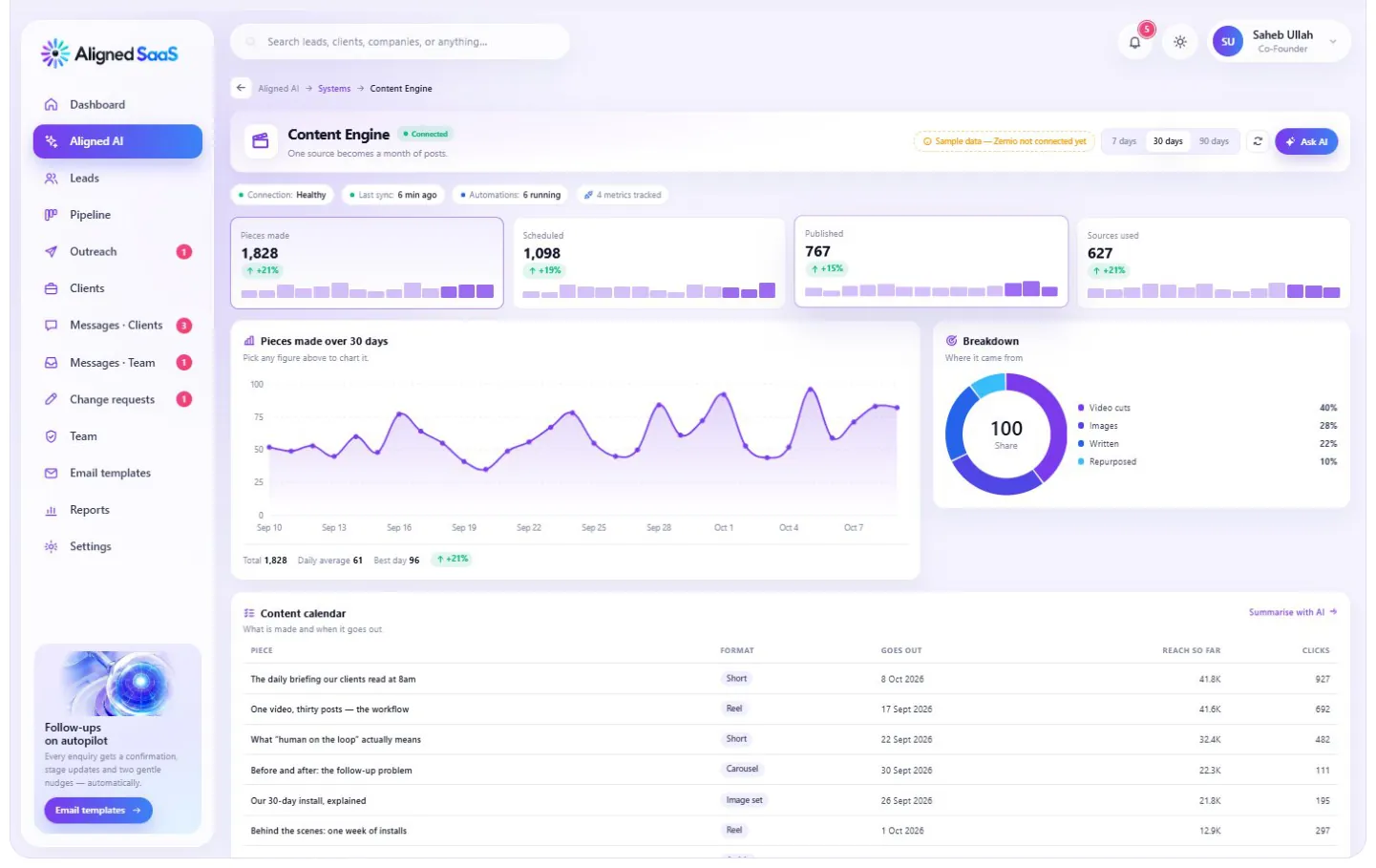
Turns one video, article or idea into the right content for every platform.
- What it shows: pieces created, scheduled and published, and the sources they came from.
- What you’ll see: your content calendar — each piece, its format, when it goes out, and how it’s performing so far.
- Your part: you approve the voice and, where you like, each post before it’s published.
#Daily briefing — ninety seconds every morning

A short summary every morning: what happened yesterday, what’s booked today, and the one thing that needs you.
- What it shows: briefings sent, opened, the actions taken from them, and your streak.
- Where it arrives: by email — and, if you prefer, on WhatsApp or Telegram.
#Phone system — a line that never goes to voicemail
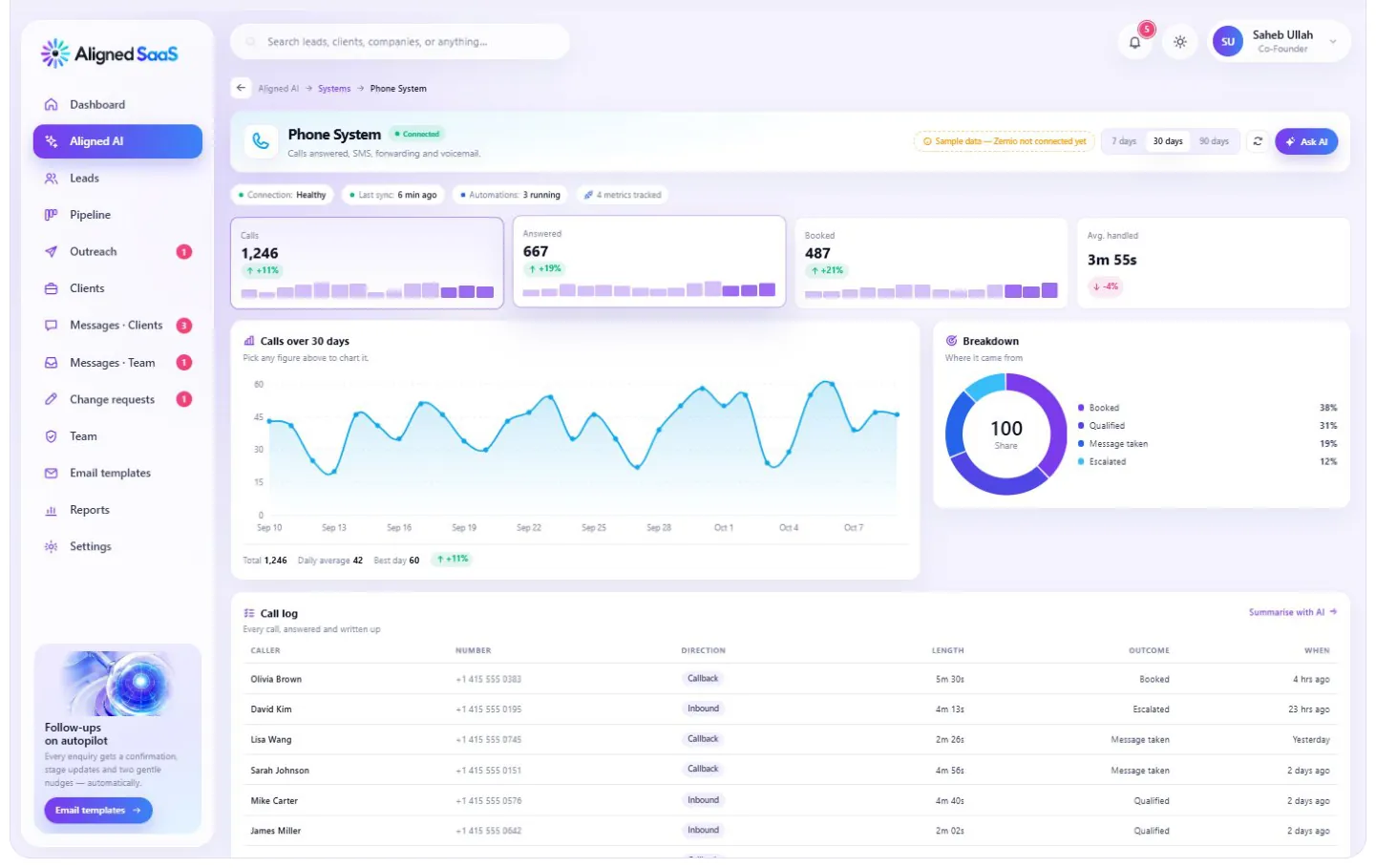
Your business number, answered every time — day or night.
- What it shows: calls received, calls answered, bookings made and the average time each call took to handle.
- What it handles: answering in your tone, answering common questions, booking straight into your calendar, texting confirmations, forwarding to a person when needed, and transcribing voicemail.
- What you’ll see: a call log — who called, when, for how long and what happened.
#Blog and articles
Articles written and published by the content engine on your website — measured by readers, sessions, subscribers and time spent reading.
#Messaging — one inbox for every conversation
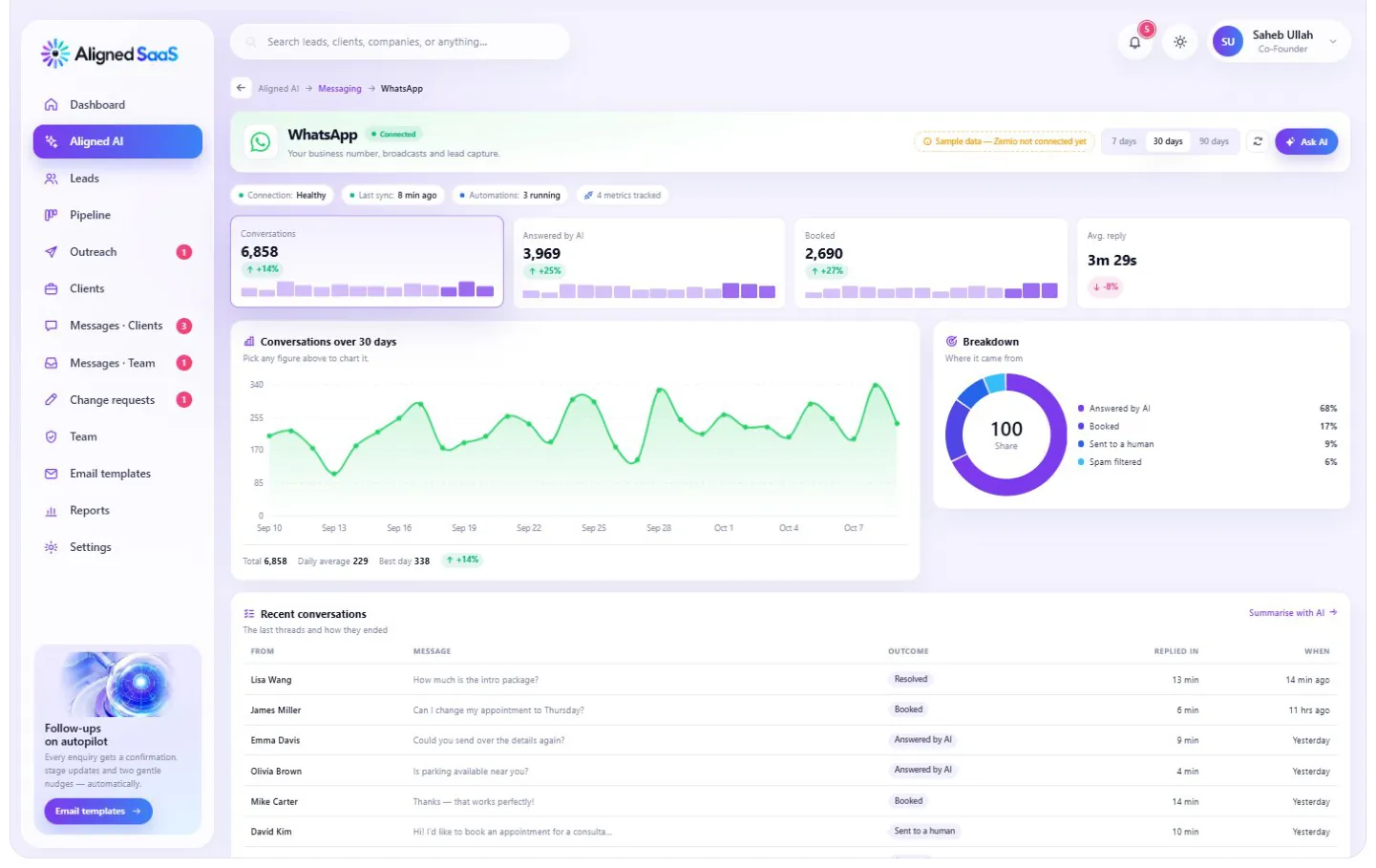
Each messaging channel has its own workspace, and all of them feed one unified inbox — so a customer who writes on Instagram, follows up on WhatsApp and calls the next day is one conversation, not three strangers.
| Channel | What it handles | What it shows |
|---|---|---|
| Your business number, instant replies, qualification, booking, reminders and opted-in broadcasts | Conversations, answered by AI, booked, average reply time | |
| Instagram DMs | Auto-replies, comment-to-DM and routing to the right person | Conversations, answered by AI, booked, average reply time |
| Messenger | Facebook messages answered with replies in your voice | Conversations, answered by AI, booked, average reply time |
| Telegram | Groups, channels and auto-replies | Conversations, answered by AI, booked, average reply time |
In every inbox you’ll see the latest conversations — who wrote, what they asked, how it ended and how fast it was answered.
#Social platforms — sixteen channels, one system
The content engine publishes to each platform in the right format, and every platform has its own workspace showing its numbers, its recent posts and the automations running on it.
| Platform | What it handles | What it shows |
|---|---|---|
| Posts, reels, stories, DMs and comments | Reach, engagement, followers, profile clicks | |
| Page posts, reviews and Messenger | Reach, engagement, followers, link clicks | |
| Company posts and direct messages | Impressions, engagement, followers, profile views | |
| X | Posts, threads and replies | Impressions, engagement, followers, link clicks |
| TikTok | Short video, captioned and scheduled | Views, engagement, followers, watch time |
| YouTube | Long-form videos and Shorts, with chapters | Views, watch time, subscribers, click-through |
| Threads | Posts and replies | Impressions, engagement, followers, replies |
| Pins and boards, by collection | Impressions, saves, followers, outbound clicks | |
| Bluesky | Posts and replies | Impressions, engagement, followers, link clicks |
| Snapchat | Stories and Spotlight | Views, engagement, followers, swipe-ups |
| Google Business | Your profile, reviews, photos and directions | Profile views, searches, calls, direction requests |
| Community posts and comments | Impressions, upvotes, members, comments | |
| Discord | Server announcements and support | Messages, active members, members, reactions |
| Analytics | Website traffic, sources and conversions | Visitors, sessions, conversions, average time |
#Google Workspace — the back office


| Tool | What it does for you | What it shows |
|---|---|---|
| Gmail | Professional email on your own domain — answered, sorted and escalated | Emails handled, replied by AI, escalated, average reply |
| Calendar | Booking with buffers, reminders and protected focus time | Appointments, booked by AI, no-shows, hours booked |
| Drive | Files and folders, organised and shared | Files, added this month, shared, storage used |
| Docs | Proposals and contracts, generated and filed | Documents, generated, shared, templates |
| Sheets | Lead lists and trackers that keep themselves up to date | Sheets, rows written, shared, automations |
| Forms | Forms that write straight into your CRM | Submissions, sent to CRM, forms live, completion rate |
| Meet | A video-call link attached to every booking | Meetings, links created, attended, hours |
| Tasks | The follow-ups your AI employee keeps for you | Tasks, completed, overdue, created by AI |