Understand4 min read
Everything it does for you
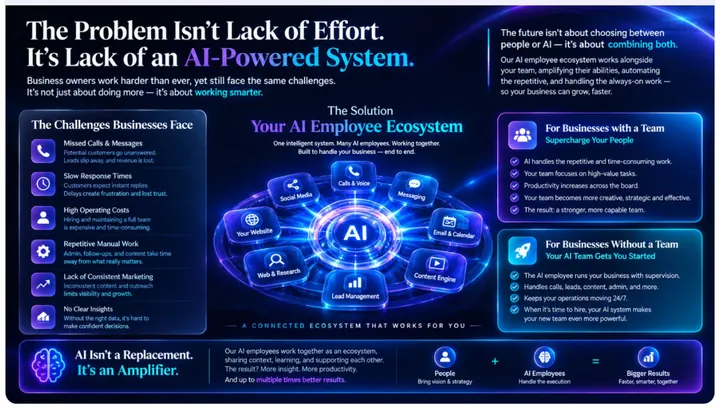
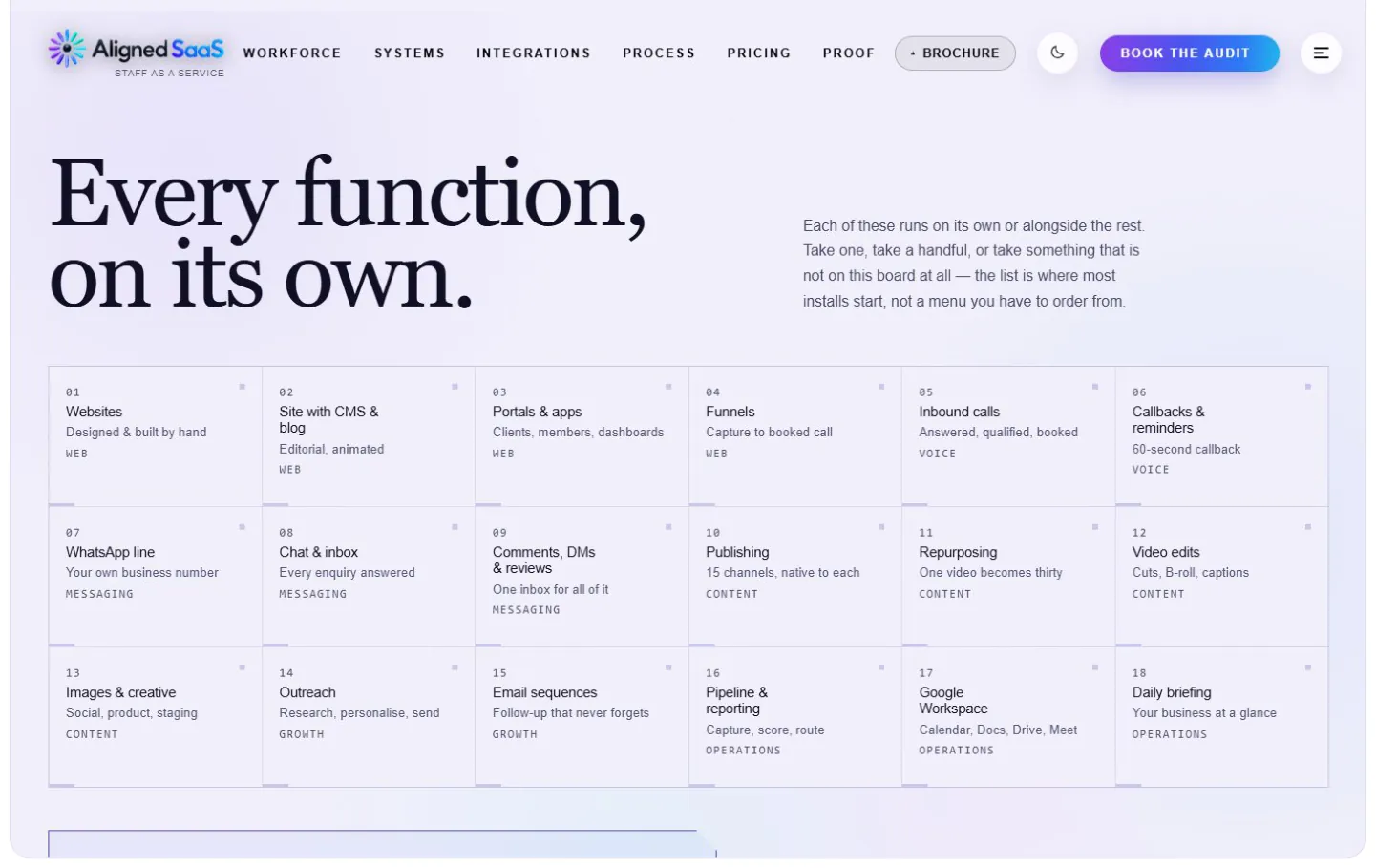
Aligned SaaS takes on the work in your business that repeats itself — across sales, customer service, marketing, operations and reporting. You choose the areas that matter to you; most businesses start with a few and add more as they grow.
On this page
#Lead capture and management
Every enquiry, from every channel, captured the second it lands — and never forgotten.
- Website and landing-page forms, Instagram and Facebook enquiries, WhatsApp, Google Business, email and missed calls — all in one place
- Every lead enriched, scored hot, warm or cold, and tagged with where it came from
- Qualification questions asked automatically
- Routing by location, service or value to the right person
- Duplicates caught, records created automatically, instant alerts for high-value leads
- Source tracking, so you know which channels actually bring customers
#Customer conversations — one inbox
One customer. One conversation. Every channel.
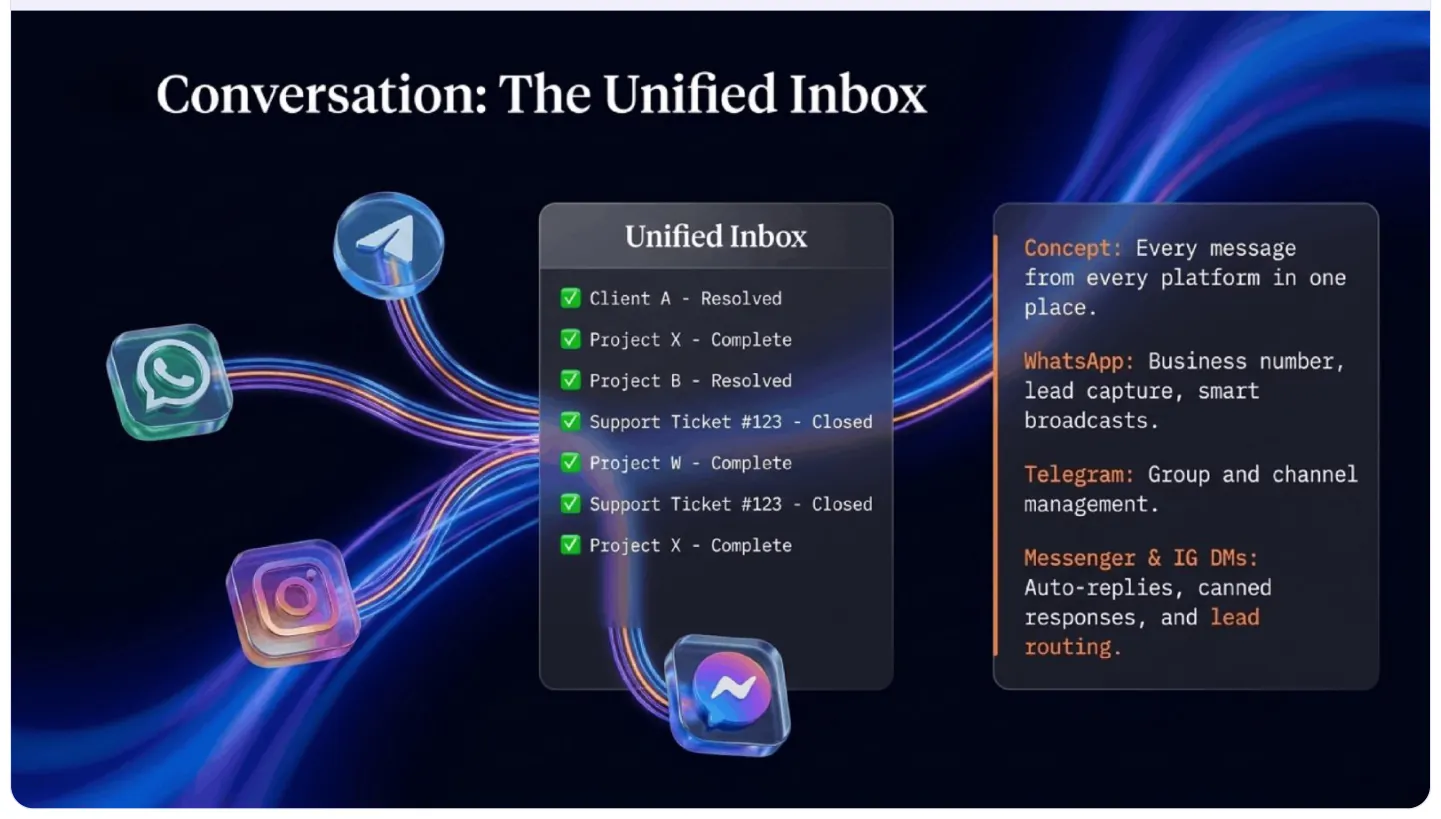
- WhatsApp, Instagram, Messenger, Telegram, email, SMS and website chat in one place
- Instant replies in your tone, from information you approve
- Conversation summaries, routing to the right person, and hand-over to a human with the full history
- Missed-message recovery and follow-ups when a customer goes quiet
- Rules for what must always reach a person
#The AI assistant on your website
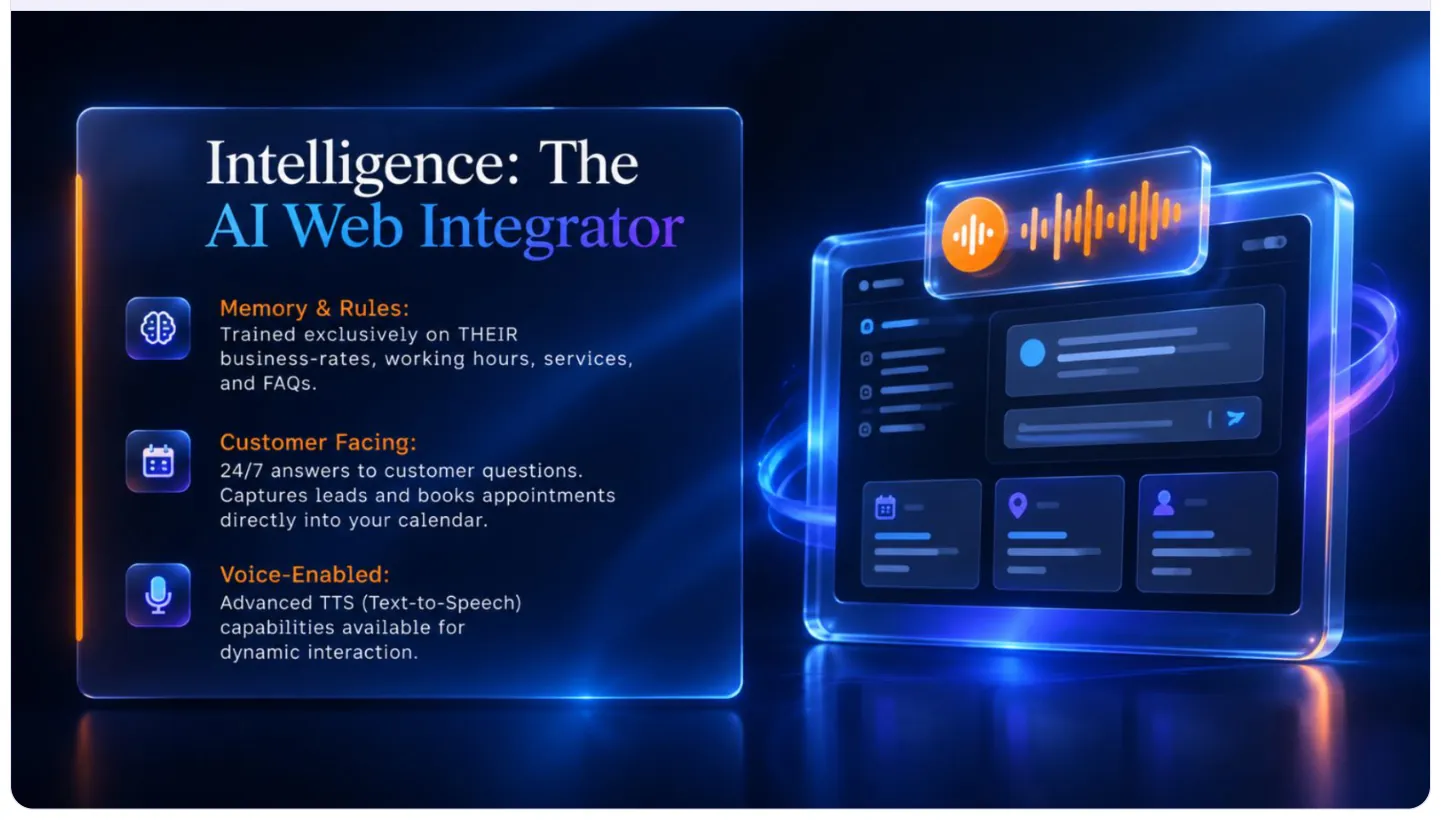
Trained only on your business — your rates, hours, services and questions customers ask. It answers 24/7, qualifies, captures the lead and books the appointment, and it knows when to hand over to a person.
#Content and social media
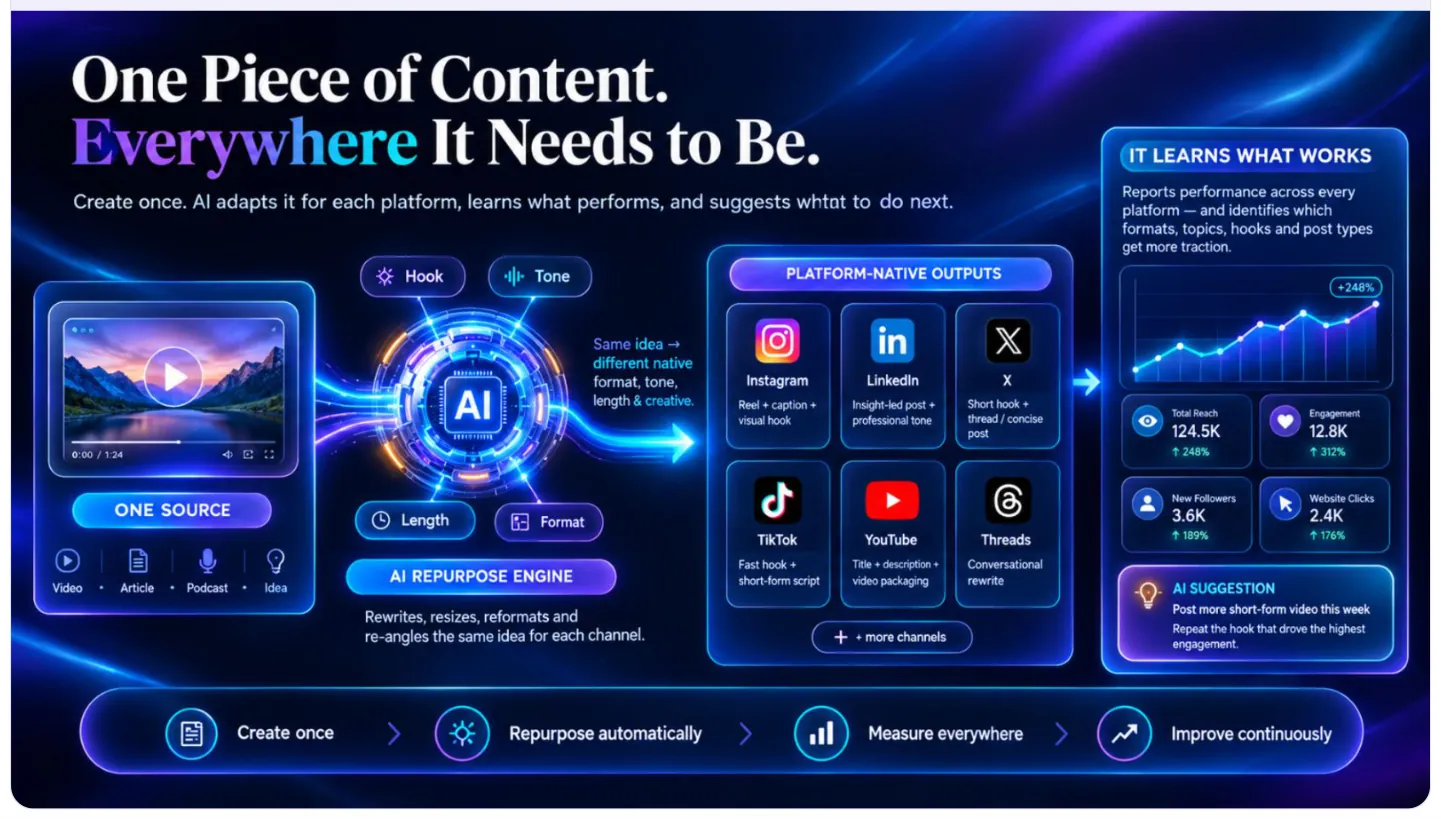
One piece of content becomes a month of posts, everywhere.
- 01Idea
- 02Script
- 03Content
- 04Repurpose
- 05Schedule
- 06Publish
- 07Measure
- 08Reply
- Content ideas drawn from your own expertise
- Captions, posts, images and short videos in your brand voice — AI avatars for video where you want them
- Publishing to 16 platforms on a calendar you approve
- Comments and DMs handled, and leads spotted in social conversations
- What worked, measured — and what to do next, suggested
#Sales follow-up
Most revenue isn’t lost to competitors. It’s lost to silence after the quote.
- Follow-ups on day 1, 3 and 7, in your voice
- Quote and proposal reminders
- No-show recovery and re-engagement of quiet leads
- Pipeline stages that update themselves, and tasks for your team when a person is needed
#Appointments and calendar
- 01Enquiry
- 02Qualification
- 03Booking
- 04Reminder
- 05Appointment
- 06Follow-up
- 07Review request
- Booking inside chat, WhatsApp, your website and calls, checked against real availability
- Rescheduling and cancellations handled
- Confirmations, reminders and a video-call link for every meeting
- Post-appointment follow-ups and review requests
#Email and marketing
| Journey | Flow |
|---|---|
| New lead | Welcome → qualification → follow-up → booked |
| New customer | Confirmation → onboarding → follow-up → review |
| Quiet customer | Reminder → offer → re-engagement |
Plus review requests, referral campaigns, audience segmentation from your real customer data, and professional email on your own domain.
#CRM, back office and documents

- Customer records that keep themselves up to date
- Lead lists and trackers that maintain themselves
- Proposals, quotes, contracts and summaries generated and filed
- Meeting notes, file organisation, reminders, approvals and data that moves between your tools on its own
#Reporting and your daily briefing
| Report | The question it answers |
|---|---|
| Daily briefing — 90 seconds every morning | What happened yesterday, and what needs me today? |
| Weekly summary | What is working? |
| Monthly report | Where should we improve? |
#Web research
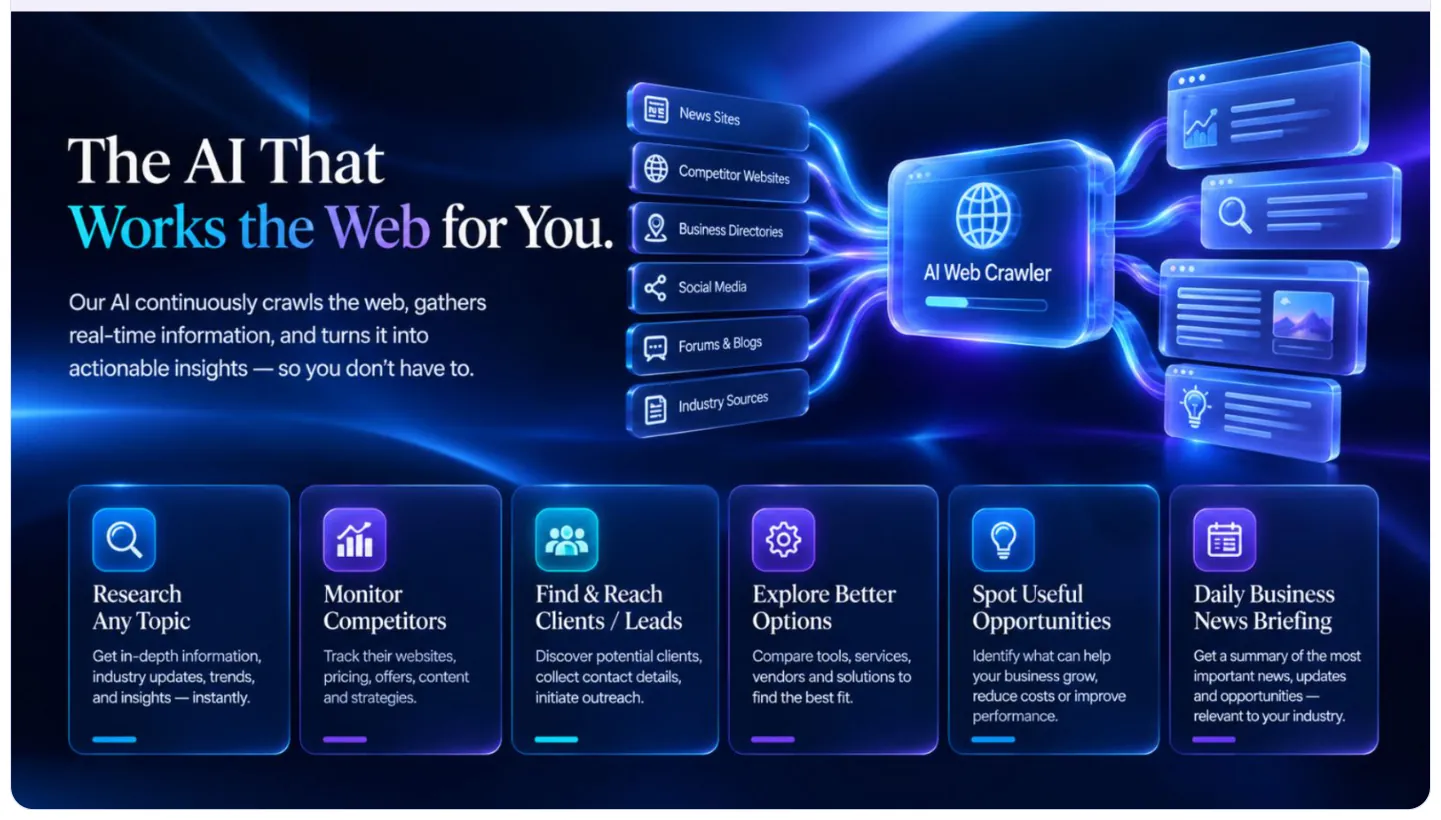
It researches any topic, watches your competitors, finds potential clients, compares suppliers, spots opportunities and sends you only the news that matters to your industry.
#Phone answering
Calls answered in your tone, any hour, with common questions handled, appointments booked, confirmations texted and anything sensitive passed to a person. It always says it’s an AI.
#Specialised AI agents
For work that needs judgement, not just a fixed workflow:
| Agent | What it does |
|---|---|
| Sales agent | Finds → qualifies → updates your records → follows up → books |
| Support agent | Understands → answers → investigates → escalates |
| Operations agent | Monitors → spots the problem → acts → reports |
| Research agent | Searches → analyses → summarises → delivers |
#Also available
| Area | What it covers |
|---|---|
| Finance and admin | Invoices, payment reminders, receipts, expense categories and approvals — always with a person approving money |
| Team and HR | Onboarding, document collection, reminders, leave requests and internal updates |
| Online stores | Order updates, abandoned-cart recovery, product questions, reviews and re-orders |
| Integrations | Google Workspace, Microsoft 365, CRMs, calendars, payment and accounting tools, forms, databases and custom APIs |
#A day with it running

| Time | What happens |
|---|---|
| 8:00 am | Your briefing arrives — what happened, and the one thing that needs you |
| 9:15 am | A new lead is captured from your website |
| 10:00 am | It’s qualified, with a summary for your team |
| 11:30 am | It’s booked into your calendar, with a confirmation sent |
| 1:00 pm | This week’s posts go out across your platforms |
| 3:20 pm | An old quote gets a polite follow-up |
| 8:15 pm | A WhatsApp is answered in seconds |
| 10:00 pm | Tomorrow is planned |