Run it2 min read
Your dashboard — a glass wall onto the workshop
Your dashboard is where you watch your system being built and look after the relationship — calmly, without a control panel to learn.
On this page
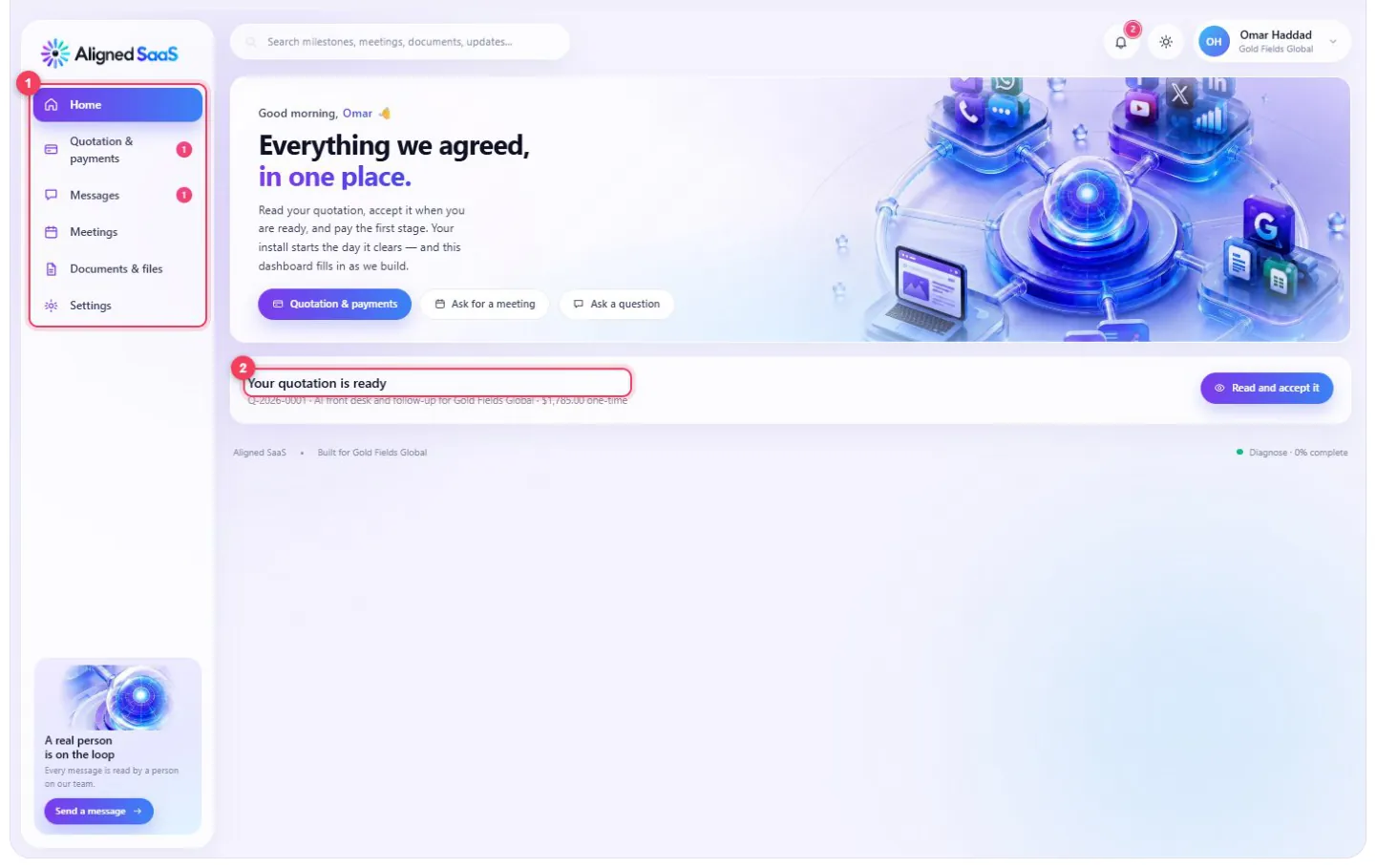
Address: alignedsaas.com/client — sign in with Google or a password. Only the email address we hold for you can open it.

#Before your first payment — proposal mode
- 1
Only what matters right now — your quotation, meetings, messages, files and settings.
- 2
What needs you — the quotation, ready to read.
#After your first payment — the full dashboard
#The welcome
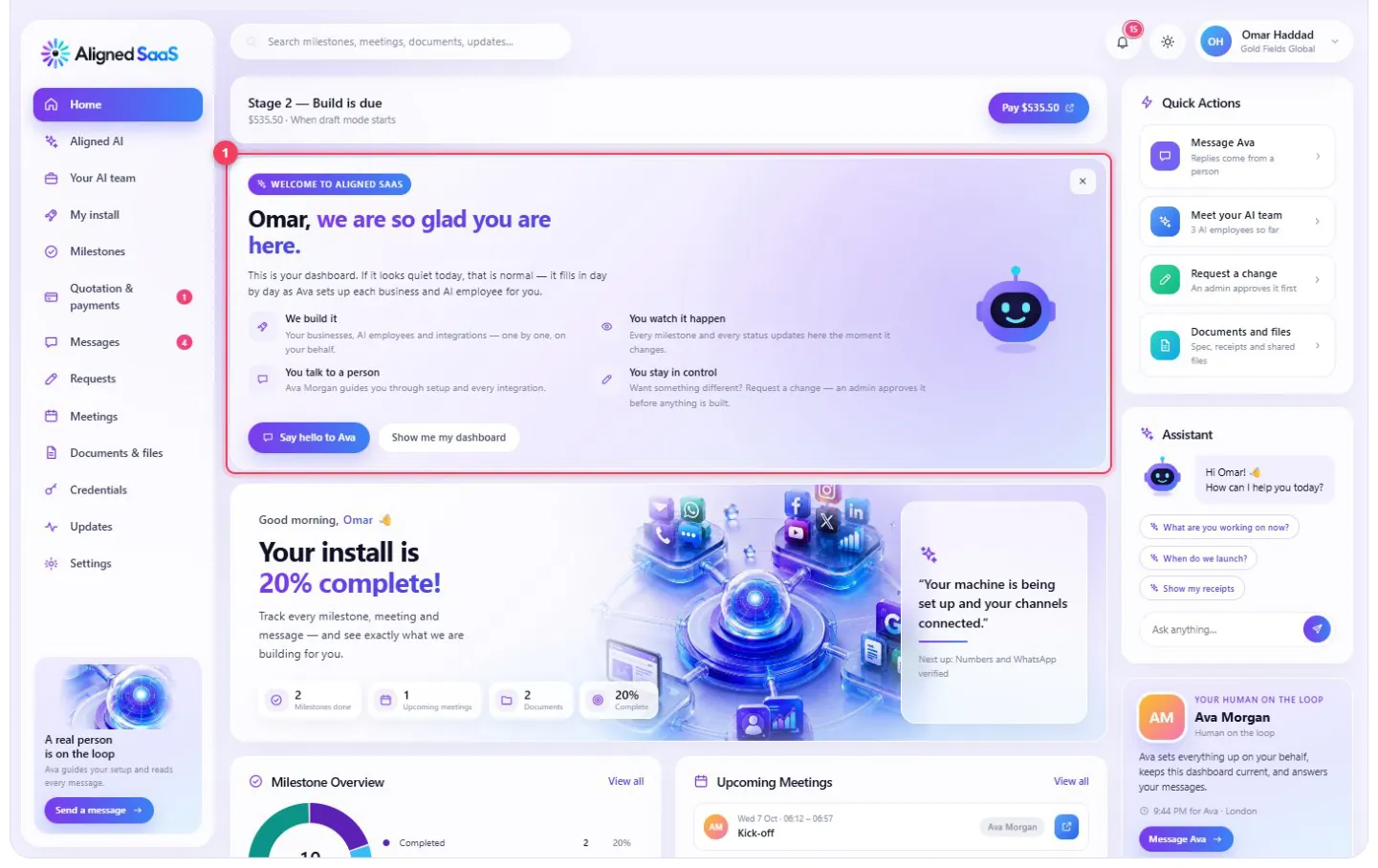
How it works, in four lines: we build it · you watch it happen · you talk to a person · you stay in control.
#Home
- 1
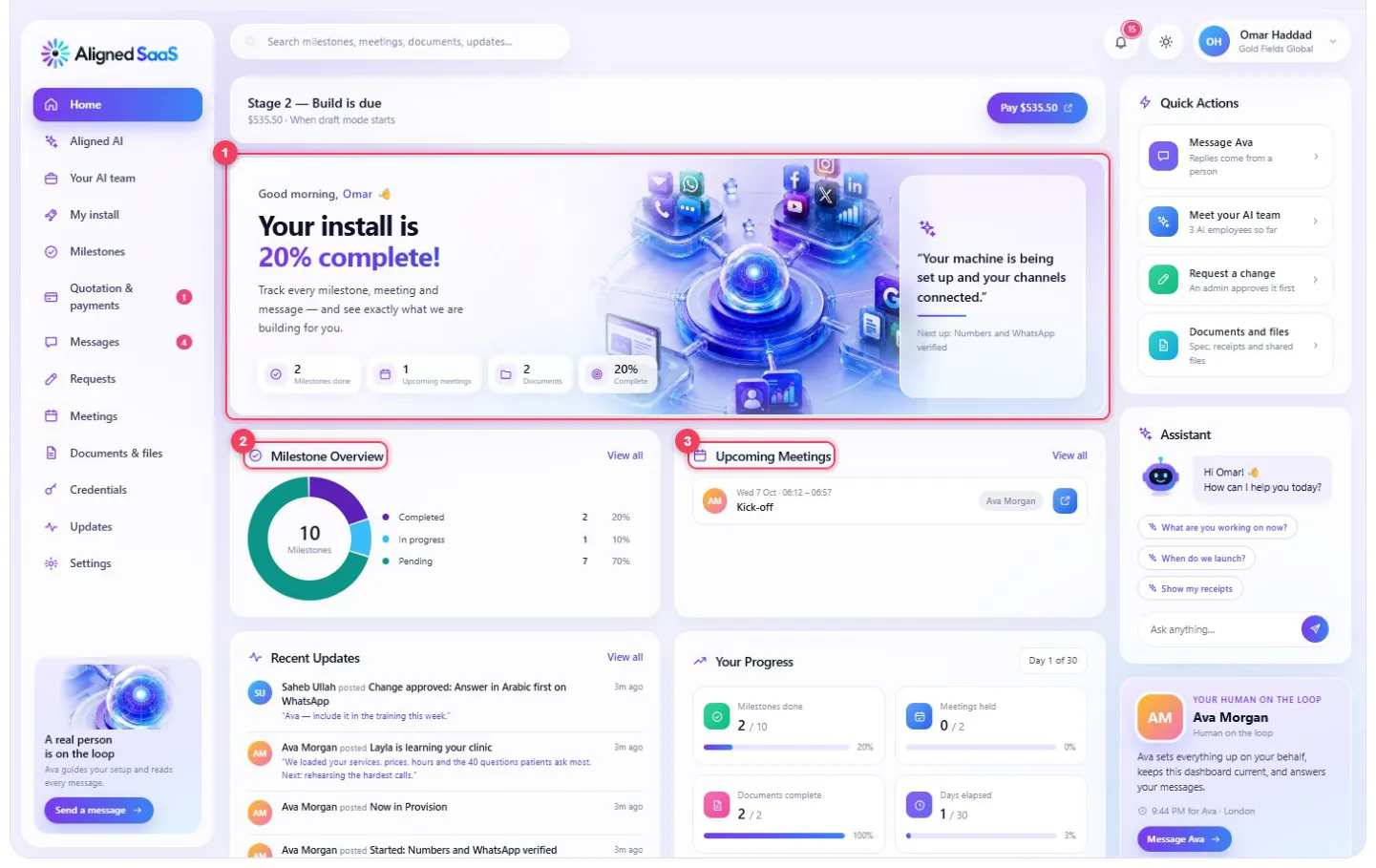
How far along your install is, and what’s next.
- 2
Your milestones — done, in progress and coming up.
- 3
Your upcoming meetings.
On the right: quick actions, the assistant, and your human on the loop — their name, their local time, and a button to message them.

Recent updates from your team, and your progress in numbers: milestones done, meetings held, documents delivered and days elapsed.
#Milestones — and exactly what each one delivered

- 1
Grouped by the payment stage they belong to.
- 2
What the milestone covers, in plain words.
- 3
Download the files delivered with it.
- 4
The logins we created for you — revealed only when you ask.
#Your AI team

Each of your businesses and its AI employees, from planned to live.
#My install — the eight phases
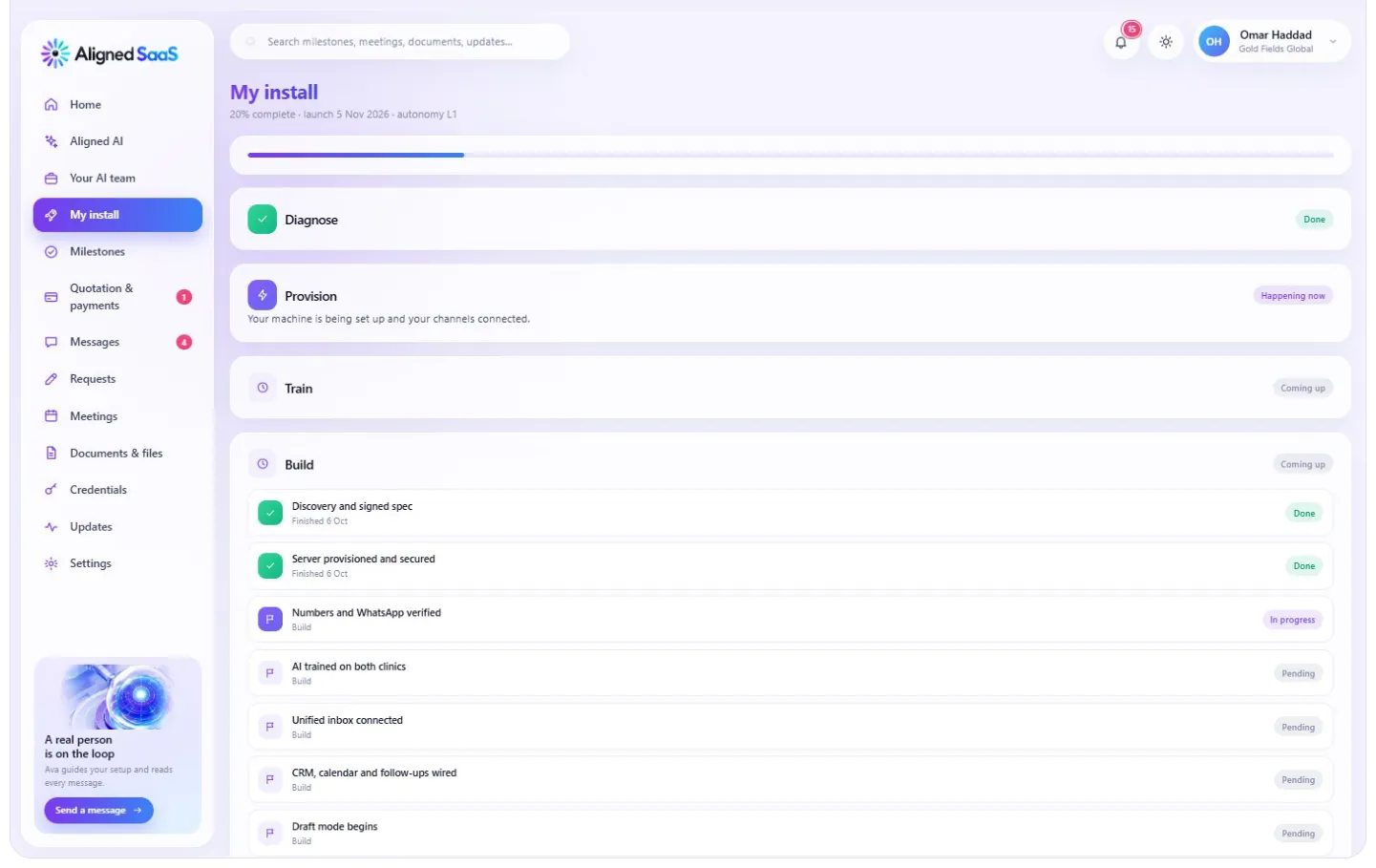
Your 30 days, phase by phase — what’s done, what’s happening now and what comes next.
#Quotation and payments
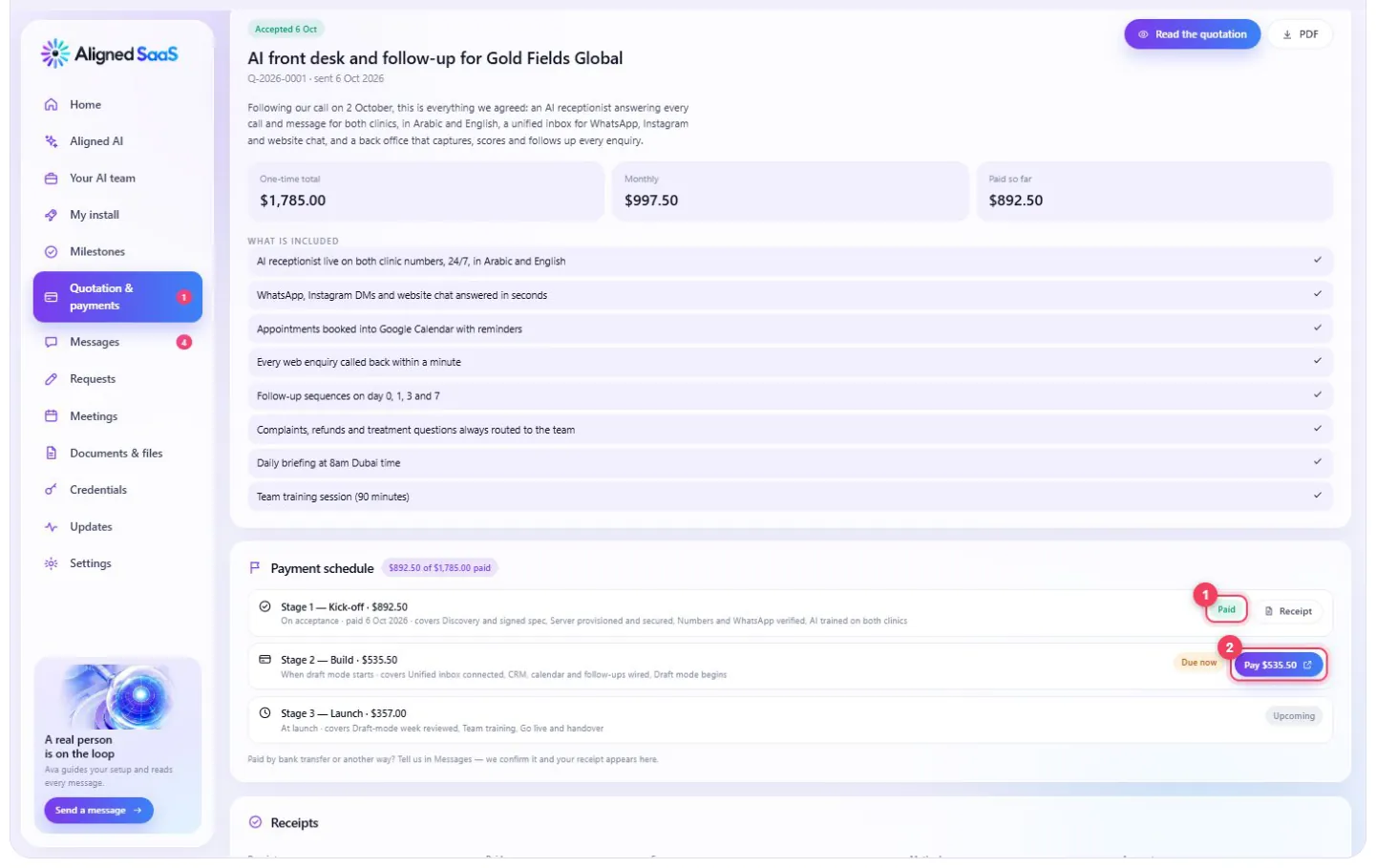
What’s paid, what’s due (with a Pay button) and every receipt you’ve ever received.
#Talking to us — whenever you need to
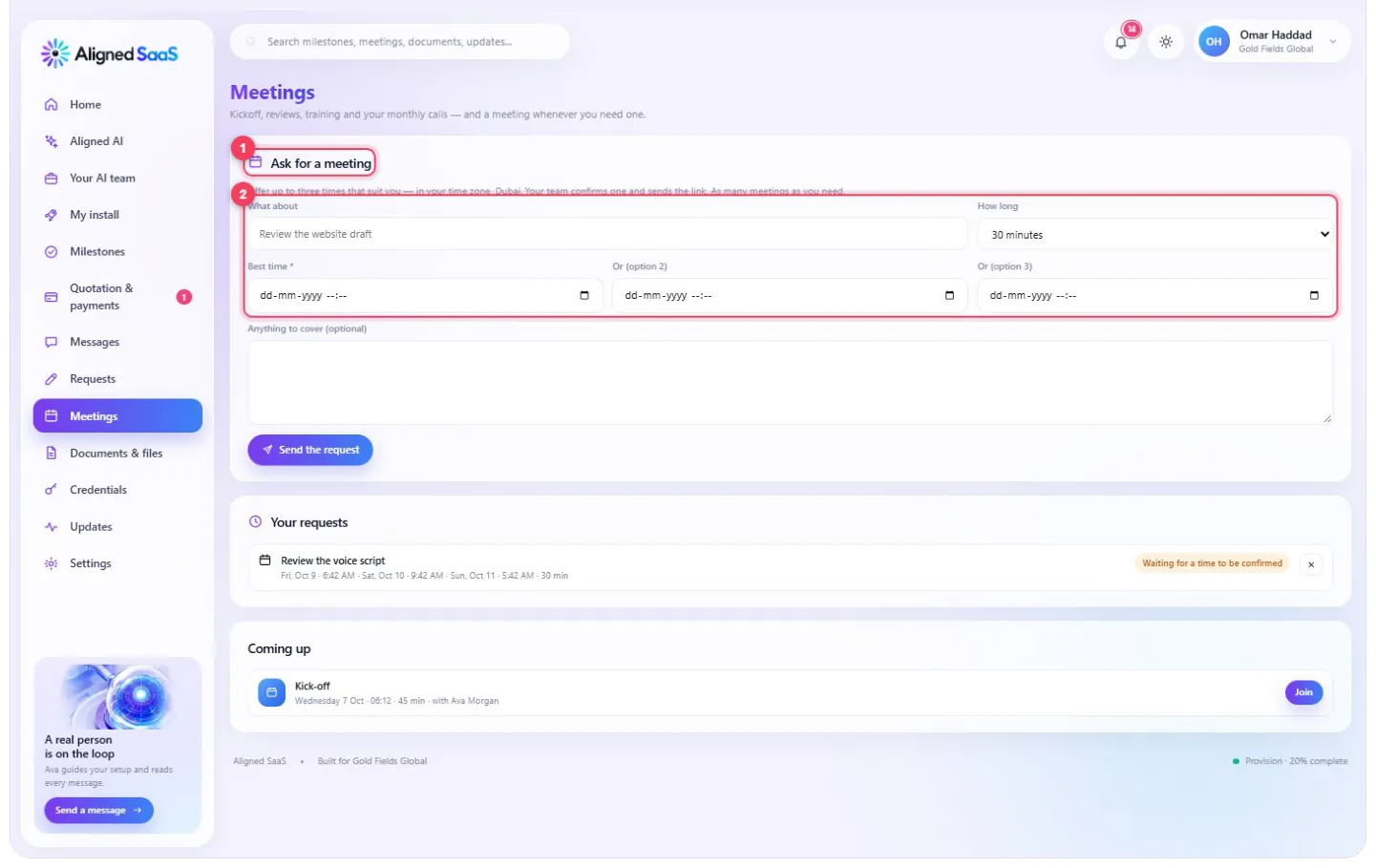
- 1
Ask for a meeting, at any time that suits you.
- 2
Offer up to three times in your own time zone — as many meetings as you need.

Your requests move from waiting to confirmed, with a Join button when it’s time.

When a time is confirmed, the email arrives with the link — in your time zone.
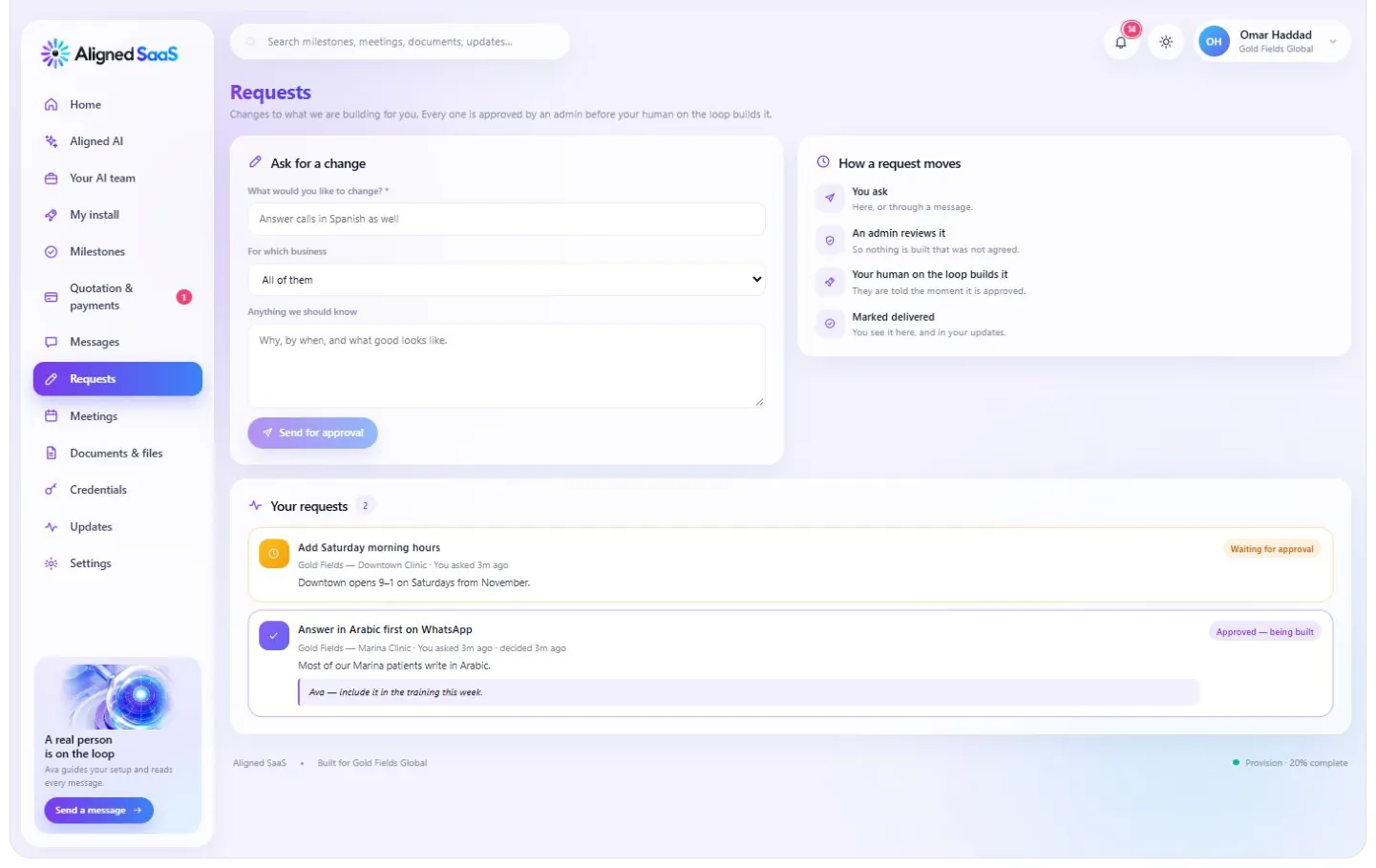
Ask for a change — and watch it move from waiting to approved to delivered. Every request is reviewed before it’s built, so nothing changes that you didn’t agree to.

A direct line to your team. A real person reads every message.
#Everything else
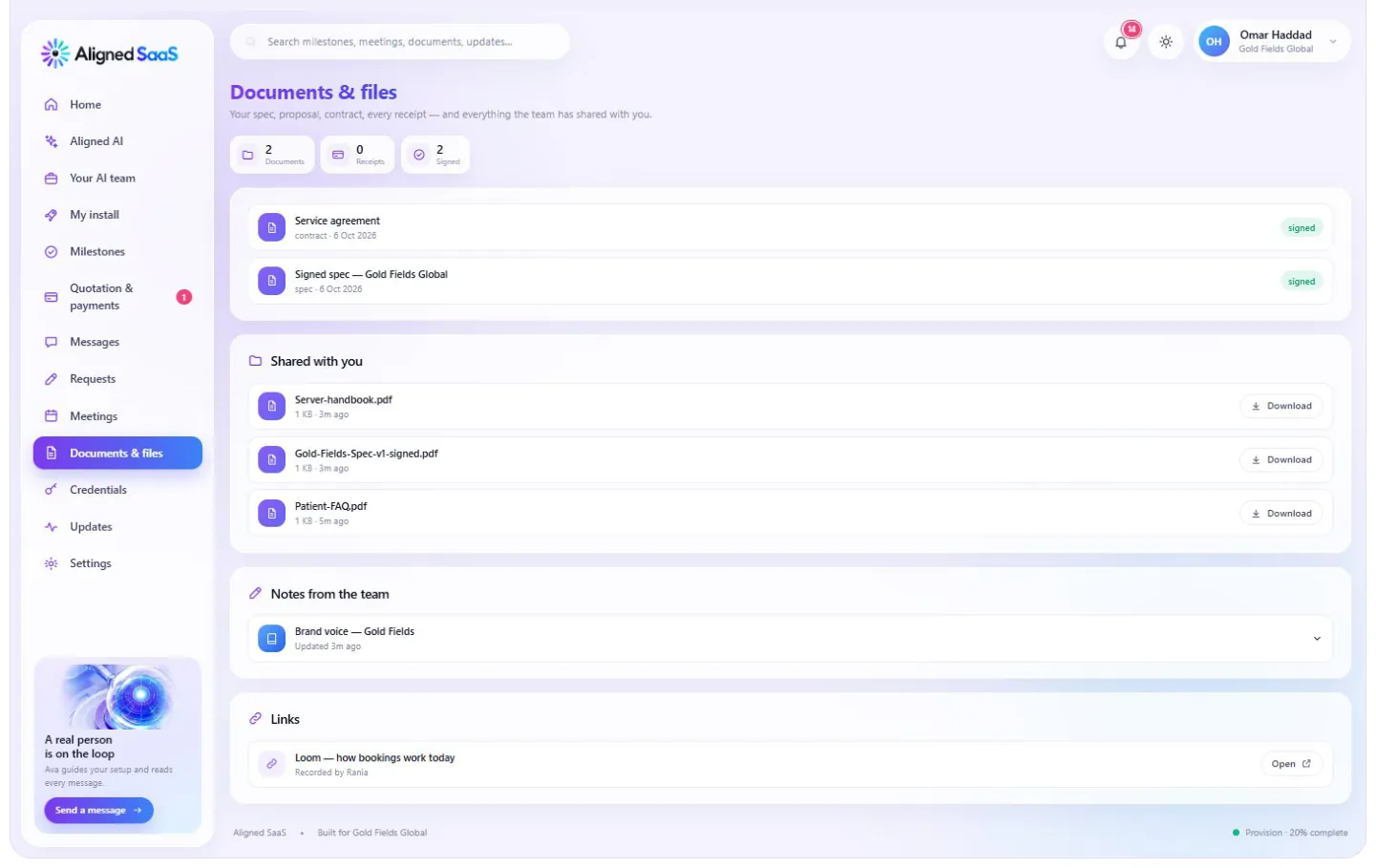
Documents & files — your spec, contract and everything shared with you.

Credentials — every login set up in your name, stored encrypted.
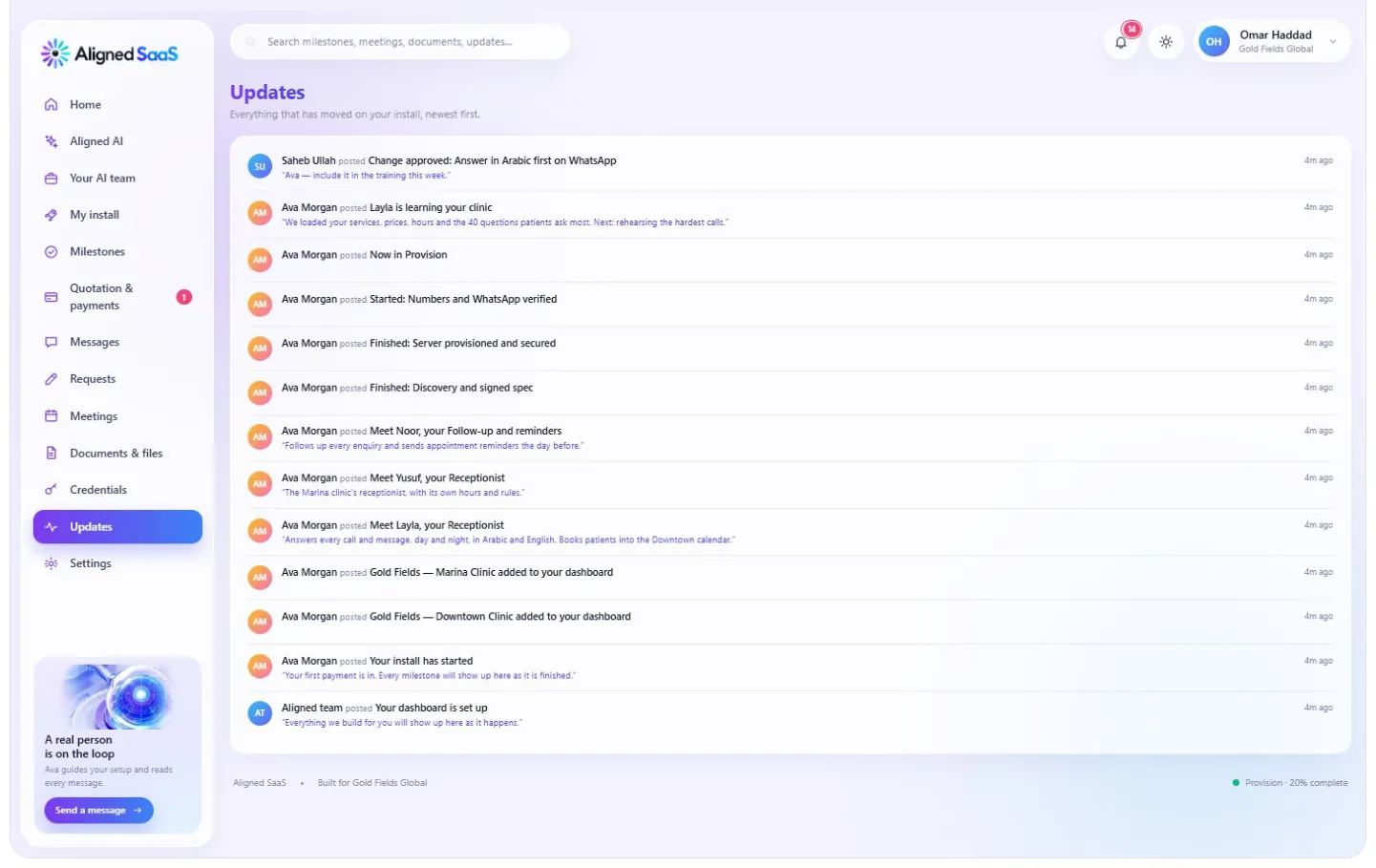
Updates — everything that moved, newest first.

Notifications — you’re told the moment anything happens.
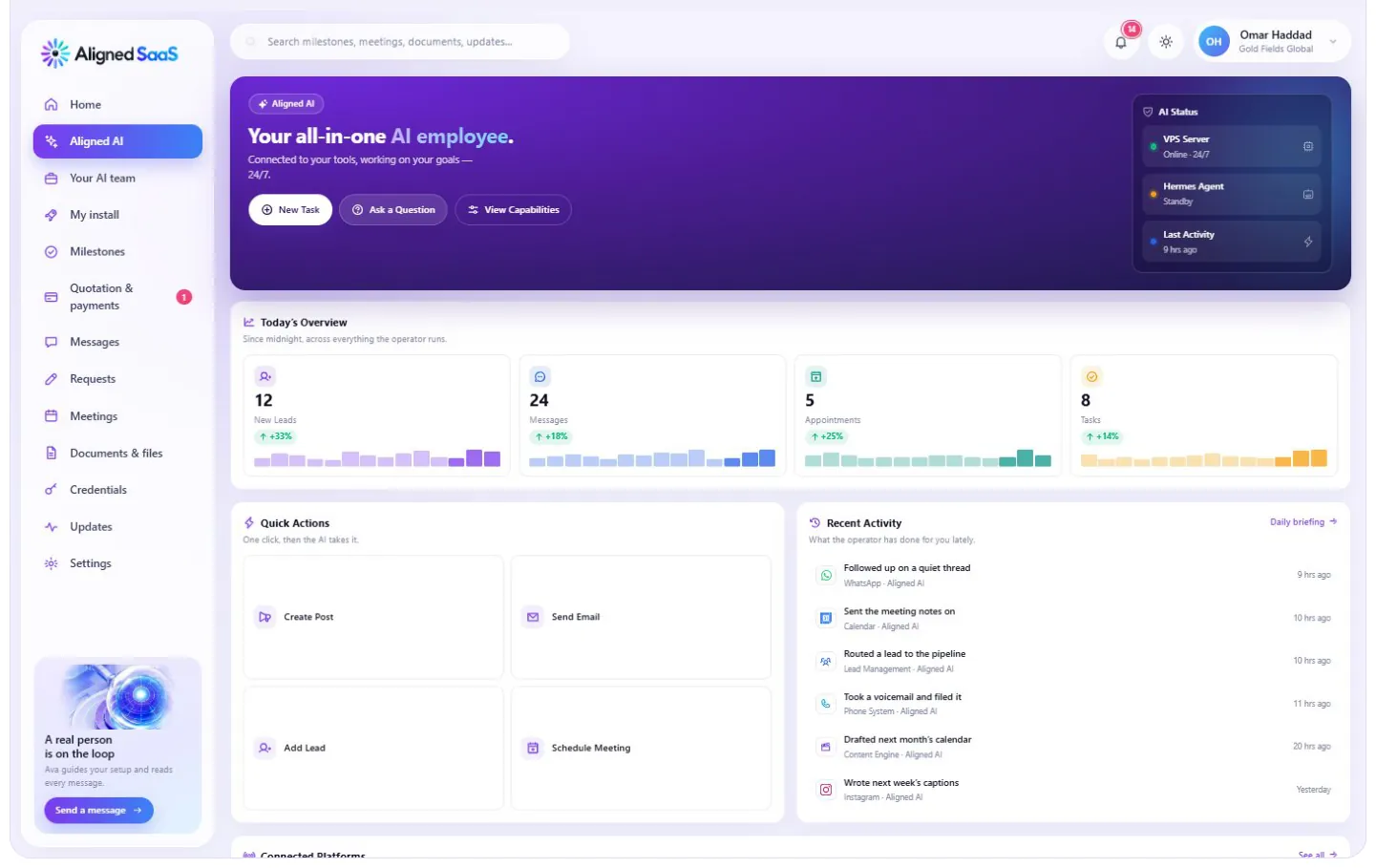
Aligned AI — your AI employee’s own home, where you can ask it anything about your account. More on this in the Aligned AI chapter.

Settings — your account and password.